
Sling Car
Play Count0
Published2019-11-05
Supported DevicesPC + Mobile
CategoryFun & Crazy
Rating★★★★★5.0Rate this game
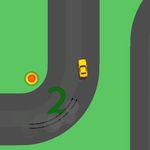
📝Sling Car Overview
Fling a tiny car across rooftops and ramps with one mouse pull—how far can your rubber-band launch really go?
💬What is Sling Car?
Sling Car is the kind of game you open for thirty seconds and accidentally play for thirty minutes. You've got a tiny car, a rubber band slingshot, and one mouse click. Pull back, aim, release, and watch the little thing tumble across the screen like a Hot Wheels launched from a homemade catapult. The loop is brutally simple: get as far as possible before the car grinds to a stop. But within that loop, there's a weirdly addictive tension between patience and greed. I kept pulling back just a little more, convinced an extra pixel of stretch would add fifty meters—and half the time it sent my car spiraling into a curb.
Each run spits out coins based on distance, and those coins feed into upgrades that make the next attempt feel noticeably different. You're not just replaying the same failure; the car starts to handle the launch better, the slingshot gets stronger, and suddenly you're clearing gaps that seemed impossible three runs ago. The physics are bouncy and exaggerated, so a nose-first landing will kill your momentum instantly, but if you catch a ramp at the right angle, the car will skip across the ground like a stone. There's a real 'just one more run' quality to the whole thing, the same pull that made games like Learn to Fly or Toss the Turtle so sticky.
Controls couldn't be easier: click and drag back to stretch the sling, then release to fire. The angle matters more than raw power—if your release direction is off, no amount of stretch will save you. On desktop it's pure mouse; on mobile it's a tap-and-drag, so it works anywhere. No story, no menu bloat, just you and a car that really, really wants to fly. Good luck beating your own record without muttering something under your breath.
👥How to Play Sling Car
Controls
• Left mouse click to sling
✨Game Tips
Pull back in a straight line before you angle—your car leaves the sling at the exact direction you release.
Don't full send every time; a gentler launch sometimes lets the car roll smoothly instead of tumbling.
Aim for ramps and downward slopes, they're the real distance multipliers.
Watch how the car lands: a nose-first hit kills momentum instantly, but a rear bounce can keep the run alive.
Spend early coins on launch power upgrades—distance snowballs hard once the base stretch is stronger.
Reset quickly if the car gets stuck; waiting around doesn't help in a hypercasual run.
🔧FAQ
Q: Is Sling Car free to play?
A: Yes, it's completely free in your browser.
Q: Can I play Sling Car on my phone?
A: Yes, just tap and drag instead of using a mouse.
Q: Do I need to download anything?
A: No download needed, it runs instantly in a web browser.
Q: What's the objective of Sling Car?
A: Fling the car as far as possible and earn coins to upgrade.
Q: Are there different cars to unlock?
A: The game offers upgrades and visual variety as you progress.
Q: Does Sling Car have multiplayer?
A: No, it's a single-player distance challenge.