
Sling Drift Online
Play Count0
Published2019-07-20
Supported DevicesPC + Mobile
CategoryDriving & Racing
Rating★★★★★5.0Rate this game
📝Sling Drift Online Overview
Yank the wheel, feather the drift, and slide through impossibly tight corners in Sling Drift Online—one tap decides glory or a guardrail kiss.
💬What is Sling Drift Online?
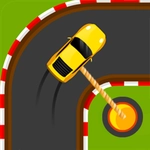
I'll be honest—Sling Drift Online looks simple, but the first time you clip a barrier because you held the drift half a second too long, it gets under your skin. You're not steering with a wheel or keyboard arrows; the whole car swings around the track with a mouse-drag or tap. The farther you pull, the sharper the angle, but overdo it and the back end whips around into a spin. That tension between smooth arc and sudden wall-smash kept me restarting more than I'd like to admit.
Each level is a narrow ribbon of tarmac with corners that tighten mid-turn and outside edges that drop into nothing. The car auto-accelerates, so your only job is controlling the drift radius around each bend. I found a rhythm after a while: release just before the apex, let the car settle, then flick into the next curve. The drifting physics feel floaty and forgiving until they aren't. One late adjustment and you're watching the replay of your car kissing the barrier in slow motion. There are multiple tracks and car skins to unlock, which gives a nice reason to keep chasing cleaner lines.
If you like drift games or anything that tests mouse finesse, this one hits a sweet spot. It's pick-up-and-play but has enough depth to keep you hunting perfect runs. The online leaderboards add a competitive edge—seeing someone shave three tenths off your best time makes you immediately restart. I'd recommend it for short sessions when you need a quick arcade fix without downloads or setup.
👥How to Play Sling Drift Online
Controls: mouse
✨Game Tips
Let off the mouse or lift your finger just before the turn's apex instead of holding through it.
Watch the car's rear, not the front—when it starts sliding too wide, release immediately.
Chain drifts by starting the next curve's drift before you finish the current one, but keep the angle shallow.
Unlock new tracks early; some have wider roads that are more forgiving while you learn timing.
Use short taps on tight hairpins rather than one long pull.
🔧FAQ
Q: Do I need to download Sling Drift Online to play?
A: No download needed. It runs directly in your browser with HTML5.
Q: Can I play Sling Drift Online on my phone?
A: Yes, touch controls work well. Tap and drag to steer your drift.
Q: Is Sling Drift Online free to play?
A: Completely free. All tracks are available without paying.
Q: What are the controls for Sling Drift Online?
A: Use your mouse or finger. Hold and drag to set the drift angle, release to straighten.
Q: Does Sling Drift Online have multiplayer or leaderboards?
A: It includes online leaderboards so you can compare your best times with others.
Q: Why does my car keep spinning out in Sling Drift Online?
A: You're likely holding the drag too long. Release earlier before the car rotates too far.