
Slinger 3D
Play Count0
Published2023-05-22
Supported DevicesPC + Mobile
CategoryAction & Fighting
Rating★★★★★5.0Rate this game
📝Slinger 3D Overview
One sling, infinite chaos. Drag back, let go, and see if your aim is true in this wild 3D action brawler.
💬What is Slinger 3D?
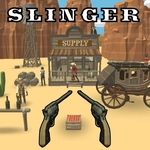
Slinger 3D gives you a slingshot, a handful of projectiles, and a 3D arena where enemies don't just stand there—they rush you, hide behind walls, and sometimes stack up just begging for a multi-kill. The controls are simple on the surface: right mouse drag aims and zooms, left click fires. Mobile players drag and release. But the real skill is reading the arc and the environment. A low shot that clips a crate might send it spinning into two enemies at once. I once spent ten minutes on the same map trying to bank a shot off a curved wall to hit a guy hiding behind a pillar. When it finally connected, the ragdoll flew off the ledge and I laughed out loud.
That's the loop: try a shot, fail, adjust, then nail a ridiculous physics-chain. The game doesn't punish you for missing—it just resets fast and lets you try again. That quick retry pace makes it easy to lose an hour. Some arenas have explosive barrels that turn a single projectile into a room-clearing blast. Others have narrow corridors where a well-placed shot can bounce between walls and hit someone you can't even see. The 3D camera is intuitive once you get used to the right-drag zoom; on desktop, it's almost like aiming a real slingshot with your mouse.
The enemy AI isn't brilliant—it mostly walks in straight lines or stands still—but that's fine because the fun comes from the physics, not tactical duels. You'll learn to lead moving targets, lob shots over low walls, and sometimes just fire a wild shot into a crowd and hope for the best. Slinger 3D won't replace your favorite AAA shooter, but for a quick unblocked game during a break? It's a perfect little time-waster.
👥How to Play Slinger 3D
Desktop:
• Aim Cursor & Left Mouse Click To Fire •
• Right Mouse Drag To Aim & Zoom •
------------------------------------------
Mobile:
• Touch & Drag To Aim & Zoom •
• Release To Fire •
✨Game Tips
Aim for the lower body when enemies are bunched; it often trips one into the rest.
Use right-click drag on desktop to zoom out and plan bank shots off walls.
Explosive barrels are one-shot clears—watch where they spawn and save your shot.
On mobile, a quick short drag gives more control than a long pull; don't overshoot.
Replay arenas to learn ricochet angles; some walls bounce projectiles perfectly.
🔧FAQ
Q: Is Slinger 3D free to play?
A: Yes, Slinger 3D is completely free on unblocked games sites. No payment or sign-up required.
Q: Can I play Slinger 3D on my phone?
A: Yes, it works on mobile browsers. Touch and drag to aim, release to fire.
Q: Do I need to download Slinger 3D?
A: No download needed. It runs directly in your browser as an HTML5 game.
Q: What are the desktop controls for Slinger 3D?
A: Use the right mouse button to drag, aim, and zoom. Left click fires the slingshot.
Q: Is Slinger 3D unblocked at school?
A: Many unblocked game sites host it, but school filters vary. Check your school's network.
Q: Can I play Slinger 3D with friends?
A: Slinger 3D is single-player. There's no local or online multiplayer mode.