
Slope City 2
Play Count0
Published2022-10-03
Supported DevicesPC + Mobile
CategoryArcade & Classic
Rating★★★★★5.0Rate this game
📝Slope City 2 Overview
How far can you roll before the city crushes you? Slope City 2 turns every corner into a reflex test.
💬What is Slope City 2?
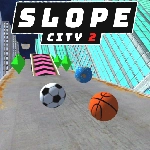
Slope City 2 doesn't care about your feelings. You're a glossy ball, the city stretches out like a neon canyon, and every millisecond you hesitate is a millisecond closer to a wall. Steering feels tight at first — left/right arrows or swipes — but once the speedometer climbs, you discover that 'tight' was just the tutorial. The real game is twitch reflexes and praying you don't clip a corner.
I lost a run at what I'm pretty sure was 200+ points because I swore the gap between two barriers was wider than it looked. Spoiler: it wasn't. The camera sits close behind the ball, which means obstacles at the edge of your vision are basically surprise guests. That's not a flaw, it's the whole point. You learn to read the road two seconds ahead, which sounds easy until the city throws rotating blades, sudden drops, and divider walls that appear out of nowhere. There's no health bar, no second chance. One wrong twitch and your ball shatters into a hundred glowing fragments. Then you're instantly back at the start, already rolling, already angry, already pressing the arrow key again.
The restart loop is dangerously fast. No menu, no countdown — just death, respawn, death, respawn. I kept telling myself 'one more run' at 1 a.m. and believing it. On PC the arrow keys give you the precision you need; on mobile, swiping works but feels less forgiving at high speed because your thumb covers part of the screen. Either way, it's the kind of arcade game that respects your time only by wasting it efficiently. If you have five minutes, you'll play ten rounds. If you have an hour, you'll still want one more.
👥How to Play Slope City 2
PC: Press A/D or left/right arrow to steer left/right
Mobile: Swipe finger to steer left/right
✨Game Tips
Stick to the center of the track early on, but don't camp there — edges give you more room to dodge late.
On desktop, tap the arrow key lightly instead of holding it; sharp corrections spin you out.
Learn to read the shadow under upcoming obstacles — it telegraphs exactly where the safe gap is.
If a barrier is spinning, wait until it's parallel to your path before committing to a side.
Play the first 30 seconds slower than you think you need to; the speed ramps up on its own.
On mobile, swipe with your thumb from the bottom edge so you don't block the ball's view.
🔧FAQ
Q: Is Slope City 2 free?
A: Yes, it's completely free to play in your browser. No hidden fees or paywalls.
Q: Can I play Slope City 2 on mobile?
A: Yes, the game supports touch controls. Swipe left or right on the screen to steer the ball.
Q: Do I need to download anything?
A: No downloads needed. It runs in your web browser as an HTML5 game.
Q: Does Slope City 2 work offline?
A: You need an internet connection to load the game, but once it's running you might be able to continue offline.
Q: What's the best strategy to get a high score?
A: Stay centered, anticipate obstacles two seconds ahead, and don't overcorrect your steering.
Q: Is there a pause button or save feature?
A: No pause or save. The game is meant for quick, restart-heavy sessions.