
Slope Cyber
Play Count0
Published2022-03-23
Supported DevicesPC + Mobile
CategoryArcade & Classic
Rating★★★★★5.0Rate this game
📝Slope Cyber Overview
Hurtling down a glowing neon track at breakneck speed, you'll need twitch reflexes just to survive the next hairpin turn.
💬What is Slope Cyber?
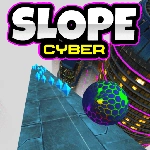
Slope Cyber throws you down a shimmering neon pipeline with zero hand-holding. You're a chrome ball, the track glows pink and cyan, and the only instruction is "don't fall." A/D or arrows steer, and that's it. The first ten seconds feel gentle, almost slow. Then gravity gets hungry. By the time you've passed a few gates, you're moving so fast that steering becomes twitch muscle memory. I still flinch when the ball clips the edge and the screen flashes red.
What separates Slope Cyber from a generic runner is how the obstacles are placed. Some barriers float above the track and come down like blades, others jut out from the sides. A few early runs I slammed into a dark block I mistook for a shadow. The game doesn't care. No power-ups, no shields. Just you and the void. If you fall, the run ends and the score resets. That brutal simplicity is what kept me clicking restart for an hour. The speed ramps scatter random bursts that launch you into near-uncontrollable sections, which is both thrilling and mildly infuriating.
I tested mobile briefly—swiping works, but your thumb covers part of the track as speed increases. Keyboard is the way. One tip: don't stare at your ball; focus slightly ahead to spot gap patterns early. The synth soundtrack, or maybe just the sound of your own pulse, fills the background. High score chasing is the entire endgame, and since runs rarely last more than a minute, it's perfect for a quick adrenaline hit between classes. Slope Cyber won't rewrite gaming, but it nails the one-more-run loop better than most.
👥How to Play Slope Cyber
PC:
Press A/D or left/right arrow to steer left/right
Mobile
Swiper finger
✨Game Tips
Light taps on A/D work better than holding; oversteering will kill you faster than any obstacle.
Keep your eyes about one second ahead of the ball so moving walls don't surprise you.
Use the calm first stretch to line up straight—later sections have almost no room for correction.
On mobile, swipe with tiny flicks and keep your thumb low to avoid covering the track.
If a gap looks too tight, slow your steering inputs and aim for the widest visible line.
🔧FAQ
Q: Is Slope Cyber free to play?
A: Yes, it's completely free in your browser with no paywalls or locked content.
Q: Do I need to download anything to play?
A: No downloads required—just open the game page and it runs instantly in any modern browser.
Q: Can I play Slope Cyber on my phone?
A: Yes, mobile is supported with swipe controls, but keyboard play on PC feels more precise at high speeds.
Q: Will my high score be saved?
A: Yes, the game tracks your best distance locally, so you can beat your own record each session.
Q: Is Slope Cyber unblocked at school?
A: It's an unblocked browser game, so it usually works on school networks, but some districts may still block it.
Q: How do I restart quickly after crashing?
A: Just tap or click the restart button that appears, or press the recommended key if shown on screen.