
Snake Blocks
Play Count0
Published2023-06-27
Supported DevicesPC + Mobile
CategoryArcade & Classic
Rating★★★★★5.0Rate this game
📝Snake Blocks Overview
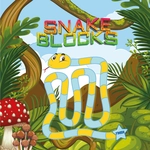
Guide a pixelated snake through a grid of blocks, gobbling food while dodging your own growing body.
💬What is Snake Blocks?
Snake Blocks strips the classic formula down to its barest, most compulsive parts. You click or tap where you want your snake to go, and it slithers one block at a time. That's it. No power-ups, no gimmicks, just you against the geometry of your own tail. I clicked once too many times near a corner and watched my snake fold into its own midsection—instantly hooked. The right-click-to-move scheme on desktop felt weird for the first thirty seconds, but then it clicked, and I was weaving through tight corridors like it was second nature.
The real tension comes from how the grid fills up as you grow. Early levels are forgiving, but by level three or four the space gets cramped fast. You'll find yourself counting tiles, stopping just short of a wall, then realizing the pause button is your best friend. It sits in the upper left corner, and I found myself hitting it constantly to scan the board before committing to a move. Scores and level progress glow at the top center, a constant reminder that one more block might mean the difference between a new high score and a crushed ego.
Snake Blocks doesn't try to reinvent anything, and that's exactly why it works. It's the kind of game you open for two minutes and close forty-five minutes later, swearing you'll stop after one more run. On mobile the tap-to-move feels even more natural—your thumb becomes an extension of the snake. If you grew up on Nokia snake or just need a quick reflex workout, this is the unblocked game you didn't know you needed.
👥How to Play Snake Blocks
Desktop
Use the right click button to move.
Mobile
Tap on the screen to move.
Controls and indicators
Upper left side of the screen has the pause button
The scores and levels are shown in the upper middle of the screen.
✨Game Tips
Plan two moves ahead near corners—the turning radius is tighter than it looks.
Use the pause button liberally; it lets you scan the grid without pressure.
On mobile, tap near the head's direction rather than directly on it to avoid misinputs.
Don't chase every block; sometimes letting one go keeps your tail manageable.
Stay close to the outer wall early on to give yourself an escape route.
After level 3 the pace spikes—keep your clicks light and quick.
🔧FAQ
Q: Is Snake Blocks free to play?
A: Yes, it's completely free in your browser with no hidden fees.
Q: Can I play Snake Blocks on my phone?
A: Absolutely—just tap the screen to move, no app needed.
Q: Do I need to download anything?
A: No downloads or installs. It runs straight in any modern web browser.
Q: What are the controls for Snake Blocks?
A: On desktop use the right mouse button to move; on mobile tap the screen.
Q: Does Snake Blocks have multiple levels?
A: Yes, the level number increases as you score, and the difficulty climbs with it.
Q: Is Snake Blocks suitable for kids?
A: Sure, it's simple, non-violent, and great for sharpening reflexes and planning.