
Snowcraft 2 Player
Play Count0
Published2024-08-26
Supported DevicesPC + Mobile
CategoryAction & Fighting
Rating★★★★★5.0Rate this game
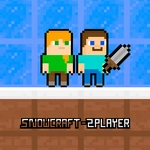
📝Snowcraft 2 Player Overview
Forget snowball fights — this frosty arena hands you a blade and dares you to out-duel your rival before they return the favor.
💬What is Snowcraft 2 Player?
Snowcraft 2 Player is local multiplayer chaos in a compact snowy map. You and a friend share a keyboard (or both grab mobile devices) and square off with swords that can be thrown, not just swung. The controls are simple: WASD moves, P swings and throws your sword, and double jump means you can change trajectory mid-air to dodge incoming blades. I quickly learned standing still equals death. The sword throw arc is predictable but punishing if you bait an early throw.
The best tense moment is when both players double jump over each other, swords whiffing, then one lands and immediately throws—a split-second gamble. If it connects, the other player respawns with a grudge. The snowy backdrop adds a clean visual contrast so you never lose track of your blade. It's not a deep fighting game, but it doesn't pretend to be. It's a quick, laugh-out-loud duel where timing and spacing matter more than button mashing. Perfect for a classroom break when you need to settle who's better without downloading anything. Just don't get cocky with that double jump—it's also how you throw yourself into a blade.
👥How to Play Snowcraft 2 Player
*Use the WASD keys to move.
*Press the P key to attack with the sword and throw the sword.
*Mobile controls are available for playing on mobile.
*Double jump is active in the game. You can jump twice.
✨Game Tips
- Learn the sword throw arc early and practice throwing while mid-air to catch opponents off guard.
- Double jump isn't just for dodging—use the second jump to change direction after your opponent commits.
- Bait a throw, then punish: most players panic and toss their blade the moment you rush them.
- Keep moving in small circles rather than long lines; tight movement makes you harder to predict.
- On mobile, test the touch buttons before the round so you don't fumble during a fast exchange.
- If your opponent likes to camp near the edge, throw from a distance instead of jumping into their space.
🔧FAQ
Q: Is Snowcraft 2 Player free to play?
A: Yes, it's completely free in your browser with no hidden paywalls.
Q: Can I play Snowcraft 2 Player on mobile?
A: Yes, mobile controls are available, but two players may need separate devices or share one touch screen.
Q: Do I need to download anything to play?
A: No downloads needed. It runs directly in your browser as an HTML5 game.
Q: How do two players play on the same computer?
A: The instructions list WASD for movement and P for attack; the second player usually uses a separate set of keys or gamepad depending on the version.
Q: What are the main controls in Snowcraft 2 Player?
A: WASD moves, P attacks and throws your sword, and you can double jump by pressing jump twice.
Q: Is Snowcraft 2 Player unblocked at school?
A: It's available on unblocked games sites, but some school networks may still block gaming sites.