
Soccer Challenge
Play Count0
Published2021-05-18
Supported DevicesPC + Mobile
CategoryAction & Fighting
Rating★★★★★5.0Rate this game
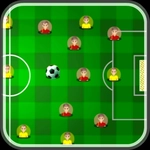
📝Soccer Challenge Overview
Smash the ball past the keeper before the timer drains in this fast, no-nonsense soccer shootout.
💬What is Soccer Challenge?
I wasn't expecting much from a browser soccer game, but Soccer Challenge hooked me within three shots. You get a ball sitting just outside the box, a keeper shuffling side to side, and a timer ticking down. Your mouse or finger is the entire control scheme—tap, drag, release, watch the net ripple. That's it. No clumsy passing, no sprint button, just you against the goalkeeper.
The real tension comes from reading the keeper's movement. He'll fake left, step right, and if you panic and shoot center, he'll gobble it up. I learned to wait half a second longer, aim near the post, and put a little extra drag distance into it for top-corner power. The ball physics feel lightweight, which means overhitting sends it sailing over the bar—frustrating, but fair. You'll restart a dozen times chasing three stars on the later levels, and that's exactly where the 'one more go' loop lives.
It's not deep, and it won't replace FIFA, but for a five-minute break it does the job. The sound of the net and the keeper's dive actually made me flinch once. If you've got a mouse, it's snappy; on a touchscreen it's even more natural. My advice: don't aim where the keeper is standing. Sounds obvious, but you'd be surprised how many goals you lose to muscle memory.
👥How to Play Soccer Challenge
Use mouse or touch pad to play this game.
✨Game Tips
Wait for the keeper to lean before committing to your shot direction.
Short, quick drags give you low driven shots; longer drags add loft and risk.
Aim for the far post when the keeper drifts near post.
Restart early if you miss two shots in a row—momentum matters more than you'd think.
Use touchscreen if available; finger taps feel snappier than mouse for power control.
Don't neglect the timer. A clean miss costs more time than a blocked shot.
🔧FAQ
Q: Is Soccer Challenge free to play?
A: Yes, it's completely free to play in your browser. No hidden payments or paywalls unlock the full game.
Q: Can I play Soccer Challenge on my phone?
A: Yes, the game supports touch controls. It runs fine on mobile browsers, though a larger screen helps with aiming precision.
Q: Do I need to download Soccer Challenge?
A: No download needed. Just open the game page and it loads instantly in HTML5.
Q: What are the controls for Soccer Challenge?
A: Use your mouse or finger to aim and shoot. Click, drag, and release to send the ball toward the goal.
Q: How do I score more goals in Soccer Challenge?
A: Time your shots when the goalkeeper shifts direction. Low placement near the posts beats raw power.
Q: Is Soccer Challenge suitable for kids?
A: Yes, it's family-friendly with no violence. Simple controls make it easy for younger players to pick up.