
Soccer Pong
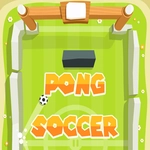
📝Soccer Pong Overview
Smash the ball past your opponent in a frantic fusion of pong and soccer where the net is the goal and every bounce matters.
💬What is Soccer Pong?
Imagine Pong, but the paddles are soccer players and the ball has a mind of its own. Soccer Pong strips football down to a single back-and-forth duel, and it works way better than it has any right to. You control a paddle on one side of the screen, and your only job is to bounce the ball past the opposing side into their net. The first few rallies felt like I was learning to ride a bike all over again — I'd swing too early, clip the ball with the edge, and watch it dribble backwards while my opponent laughed.
That's where the hidden depth lives, though. The ball isn't just a pixel; it carries spin based on where you strike it. Hit with the top of your paddle and the ball rises, drops, and bends. Use the bottom edge and you'll scoop it low. I remember one match where I trailed 2-0, then finally figured out that a sharp downward flick from the upper corner sent the ball skimming along the floor, almost impossible to block. That one trick turned the whole game around. Controls are arrow keys or touch if you're on a phone — left player uses W/S or arrows, right player uses up/down arrows or touch zones.
Versus mode against a friend is where Soccer Pong becomes genuinely great. The AI puts up a fair fight but a human opponent adds trash talk and mind games. You can play on a desktop with two sets of keys or pass a phone back and forth. Matches are quick, often under three minutes, so it's perfect for a break between classes or a lunchtime tournament. It won't replace real football, but for a browser game it scratches that same competitive itch without needing a pitch.
👥How to Play Soccer Pong
Arrows or touch control
✨Game Tips
- Bank the ball off the side walls to create angles your opponent won't expect.
- Hit the ball with the very edge of your paddle to add heavy spin.
- In single player, watch the AI's paddle position — it tends to overcommit to one side.
- Use short, quick flicks instead of holding the arrow key to reposition faster.
- If you're losing, start aiming for the bottom corners; they're the hardest to defend.
🔧FAQ
Q: Is Soccer Pong free to play?
A: Yes, it's completely free in your browser with no hidden costs.
Q: Can I play Soccer Pong on my phone?
A: Absolutely, touch controls are supported and work well on mobile screens.
Q: Do I need to download anything to play Soccer Pong?
A: No downloads required — the game runs directly in any modern web browser.
Q: Can I play Soccer Pong with a friend?
A: Yes, there's a local 2-player mode using either shared keyboard or touch.
Q: What are the controls for Soccer Pong?
A: Use arrow keys or touch — left player uses W/S, right player uses Up/Down.
Q: Is Soccer Pong suitable for kids?
A: Yes, it's non-violent and easy to learn, though the spin mechanic adds a fun challenge.