
Solitaire: Card Master
Play Count0
Published2026-03-18
Supported DevicesPC + Mobile
CategoryPuzzle & Thinking
Rating★★★★★5.0Rate this game
📝Solitaire: Card Master Overview
One deck, seven columns, and a race to lock all four suits from Ace to King before the draw pile leaves you stuck.
💬What is Solitaire: Card Master?
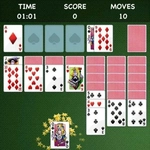
Solitaire: Card Master plays exactly like the Klondike you've squinted at on old Windows machines, but with a smooth tap-and-drag feel that works great on a touchscreen or with a mouse. You've got the standard seven-column tableau, a stock to flip through, and four foundation piles waiting for their first Ace. The rules are the usual: alternate colors, descending order, and don't trap a red six under a black nine unless you've got a plan. I kept getting greedy trying to clear out columns early, then realizing I'd buried a King I needed to move a whole run. Classic mistake.
The real satisfaction comes when you spot a buried Ace three layers down, shuffle a few cards around, and suddenly the whole board opens up. There's no timer, no scoring pressure, just you and the deck. The auto-complete option is a godsend once all the tableau cards are face-up and the only moves left are mechanical. One detail I appreciated: the stock doesn't waste your time with fancy animations. Tap it, get three cards, move on. If you're stuck, starting over takes two seconds, but I'd suggest undoing a move or two first instead of rage-resetting.
For a hypercasual take on a classic, it does its job without trying to reinvent the wheel. Perfect for a five-minute break or a long commute. Just don't blame me if you tell yourself "one more game" at midnight.
👥How to Play Solitaire: Card Master
Move Cards: Tap/drag to place on tableau (alternating color, descending order).
Build Foundations: Move Aces, then build up by suit to King.
Draw Cards: Tap stock to reveal new cards.
Auto-Complete: Tap to finish when all moves are clear.
Simple controls
✨Game Tips
Uncover hidden Aces as early as you can, even if it means moving a face-up card onto a less ideal spot.
Flip the stock before rearranging long tableau runs; you might reveal the exact card you need.
Don't fill all four foundation piles too fast—leaving one empty can give you a place to park Kings.
Use the undo button to test a move without committing; it's quicker than restarting.
When a column is empty, try to move a King with a full alternating sequence attached, not just a lone King.
Pay attention to what's face-down in each column; clearing a long hidden stack early can break the game open.
🔧FAQ
Q: Is Solitaire: Card Master free to play?
A: Yes, it's completely free and runs right in your browser with no hidden costs.
Q: Can I play Solitaire: Card Master on my phone or tablet?
A: Absolutely. The controls are built for tap and drag, so it works perfectly on mobile browsers.
Q: Do I need to download or install anything?
A: No download needed. It's an HTML5 game that loads instantly on any modern web browser.
Q: How do I move cards in Solitaire: Card Master?
A: Tap or drag a card to place it on another column in alternating colors and descending order.
Q: What if I run out of moves and get stuck?
A: Tap the stock to draw new cards, use the undo button, or restart the round with a fresh shuffle.
Q: Is there a timer or time limit in the game?
A: No timer at all. You can take as long as you need to think through each move.