
Solitaire Classique
Play Count0
Published2022-12-05
Supported DevicesPC + Mobile
CategoryPuzzle & Thinking
Rating★★★★★5.0Rate this game
📝Solitaire Classique Overview
Deal yourself a classic layout, then stare at the tableau until your eyes cross trying to free that one buried ace.
💬What is Solitaire Classique?
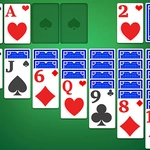
The first thing I noticed when I opened Solitaire Classique was how bare-bones the interface is—just a green felt table, seven columns, and a stock pile waiting to be flipped. No flashy menus, no character mascots, no “spin the wheel” nonsense. It gets out of your way and lets you play cards. That’s refreshing.
You’re playing classic Klondike. Draw one or three cards depending on the mode (I stuck with draw-one because I’m not a masochist). The goal: build four foundation piles from ace to king, same suit. The real game is in the tableau—rearranging columns, flipping face-down cards, and trying not to screw yourself by moving a black six onto a red seven when you needed that red seven for the black eight. I lost count of how many times I undid a move, then undid the undo. The moment you spot that you can move a whole stack of five cards because the top card fits and the order is perfect—that’s pure dopamine.
What keeps me coming back is how clean the controls are. Click or drag, it responds instantly. No ads screaming at me between deals, no forced video popups. Just the cards and your patience. If you’re stuck, there’s a hint button that doesn’t judge you, and an undo that lets you experiment without restarting. It’s the kind of game you open for five minutes and suddenly it’s midnight and you’ve played forty hands.
👥How to Play Solitaire Classique
Use Mouse To Play and Keyboard
✨Game Tips
Flip the stock pile before making any big moves—you might free a card that changes everything.
Always expose face-down cards in the tableau before pulling from the waste pile.
Don’t rush to move cards onto foundations; sometimes holding an ace in the tableau helps you access other columns.
If you’re playing draw-three, remember the order of the waste pile and plan your cycling.
Use undo liberally—there’s no shame in testing a move and rewinding if it backfires.
Keep a mental note of which cards are still buried so you don’t waste moves.
🔧FAQ
Q: Is Solitaire Classique free?
A: Yes, it's completely free to play in your browser with no hidden fees or downloads.
Q: Can I play Solitaire Classique on mobile?
A: Yes, it works on any device with a modern web browser, including phones and tablets.
Q: Do I need to download anything to play?
A: No download needed—just open the game page and start playing instantly.
Q: What's the difference between draw-one and draw-three modes?
A: Draw-one flips one card at a time; draw-three flips three, which is harder but more strategic.
Q: Is there a way to undo a wrong move?
A: Yes, there's an undo button that lets you reverse your last move or multiple moves.
Q: Can I restart a game if I get stuck?
A: Yes, you can start a new deal anytime from the menu without losing your progress elsewhere.