
Space Brickout
Play Count0
Published2020-06-10
Supported DevicesPC + Mobile
CategoryArcade & Classic
Rating★★★★★5.0Rate this game
📝Space Brickout Overview
Smash through wave after wave of glowing space bricks in this cosmic take on the classic paddle-and-ball arcade game.
💬What is Space Brickout?
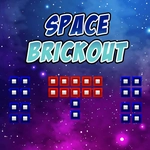
Space Brickout doesn't try to reinvent the wheel, and that's exactly why it works. You get a paddle, a ball, and rows of bricks floating in a starry void. Break them all before your lives run out. The neon color scheme makes every impact feel satisfying, and the dark background keeps your eyes glued to the action.
The first couple levels lull you into thinking it's a casual button-masher. Then the brick patterns start shifting, some blocks take two or three smacks, and suddenly that ball is moving faster than your reflexes. I kept telling myself one more level, then looked up and an hour had gone. Angling the paddle's edges sends the ball screaming into those stubborn corner bricks, which never gets old.
Controls are dead simple — slide your mouse left or right, or tap on a touchscreen. No keyboard gymnastics needed. The real skill comes from reading the ball's trajectory and deciding when to play it safe versus when to chase a falling power-up. It's perfect for a quick break between classes or a longer session when you're chasing a new high score.
👥How to Play Space Brickout
Use your mouse to play the game or tap on the screen!
✨Game Tips
Aim for the corners first — clearing a side early gives you better angles for the stubborn center bricks.
Don't just follow the ball with your eyes; watch its shadow or trail to predict where it'll land.
Let the paddle edges work for you. Hitting the ball near the tip sends it at a sharp angle, perfect for digging into tight gaps.
When the ball speeds up, stop chasing power-ups and focus on keeping your paddle centered under it.
If an extra ball icon drops, grab it early — two balls clear the screen way faster.
On touch screens, drag instead of tapping. You'll get smoother control and fewer accidental misses.
🔧FAQ
Q: Is Space Brickout free to play?
A: Yes, it's completely free to play in your browser with no hidden paywalls.
Q: Can I play Space Brickout on my phone?
A: Yes, it supports touch controls, so it works fine on Android and iOS devices.
Q: Do I need to download anything?
A: No downloads or installs needed. It runs directly in your web browser as an HTML5 game.
Q: Does Space Brickout work on a school Chromebook?
A: Usually yes, as long as your browser can load HTML5 games. It's lightweight and won't lag.
Q: What if my mouse lags during fast ball speeds?
A: Try moving your mouse in smaller, smoother motions and keep the paddle near the bottom of the screen.
Q: Is there an end to Space Brickout or does it go forever?
A: It has multiple levels with increasing difficulty. You'll keep going until you run out of lives.