
Spaceflight Simulator
Play Count0
Published2024-09-20
Supported DevicesPC + Mobile
CategoryManagement & Simulation
Rating★★★★★5.0Rate this game
📝Spaceflight Simulator Overview
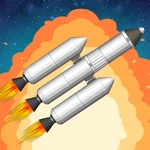
Assemble a multi-stage rocket, tweak engines and fuel tanks, then hit launch and see if your contraption can escape the atmosphere without turning into a fireball.
💬What is Spaceflight Simulator?
Spaceflight Simulator is a physics sandbox where you bolt together fuel tanks, engines, capsules, and decouplers to see what actually flies. The build menu gives you realistic parts with weight, thrust, and burn time — so half the fun is realizing your 'perfect' design has a thrust-to-weight ratio of 0.8 and just sits there burning through kerosene. You'll fiddle with staging, add struts to stop the wobble, and eventually figure out that shedding empty tanks at the right moment is the difference between a clean orbit and a spectacular fireball.
I spent way too long trying to land on the moon with a single-stage rocket. The trick I finally got: start your gravity turn at about 10km, throttle down as you approach apoapsis, and don't panic when the ground rushes up — your RCS thrusters actually do something. The game doesn't hold your hand, which is exactly why a successful docking or a soft touchdown feels earned. The controls are simple (click to select, drag to place, spacebar to launch) but the physics is genuine enough that every flight teaches you something.
If you like building and testing, not just blowing things up (okay, that's part of it too), this simulator will eat your afternoon. It runs in a browser tab, saves your rockets locally, and works with just a mouse or touchscreen. No missions, no timers, no microtransactions — just you, gravity, and the cold vacuum of space.
👥How to Play Spaceflight Simulator
Mouse click or tap to play
✨Game Tips
Check your thrust-to-weight ratio before launch. If it's below 1.2, you're not going anywhere.
Use decouplers to drop empty stages instead of dragging dead weight into orbit.
Start your gravity turn at 10km; pitch over slowly, don't yank the nose.
Add struts. A wobbly rocket bends, and a bent rocket breaks apart.
Land on the moon by killing horizontal velocity first, then controlling descent with your main engine.
Save your builds before every test flight. Iterating is faster than rebuilding from scratch.
🔧FAQ
Q: Is Spaceflight Simulator free to play?
A: Yes, it's completely free in your browser. No account or payment required.
Q: Do I need to download anything to play?
A: No. It runs on HTML5, so just open the page and click play.
Q: Can I play Spaceflight Simulator on mobile?
A: Yes, the touch controls work well. The build menu scales to smaller screens.
Q: Is there a tutorial or help inside the game?
A: Not really. Experiment and learn from failures. That's half the fun.
Q: Why does my rocket keep tipping over after launch?
A: Add fins or control surfaces, and check your center of mass vs. center of thrust.
Q: Can I save my rocket designs?
A: Yes, your browser saves them locally. Use the save button in the build menu.