
Spatial Inverse: Gravity Puzzle Adventure
Play Count0
Published2026-03-09
Supported DevicesPC
CategoryAction & Fighting
Rating★★★★★5.0Rate this game
📝Spatial Inverse: Gravity Puzzle Adventure Overview
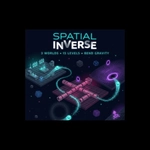
Flip gravity, bend space, and launch a cube through impossible obstacles—can you survive every mind-bending level?
💬What is Spatial Inverse: Gravity Puzzle Adventure?
I’ll be honest: I expected Spatial Inverse to be another marble-rolling clone. Then I placed a bounce pad on the grid, hit spacebar, and watched a cube fly backward through a gap in the floor that shouldn’t be there. That’s when I got hooked.
The core loop is deceptively simple. You get a set of gadgets—gravity flippers, bounce pads, maybe a teleporter or two—and you plop them onto a grid before hitting play. The simulation runs, physics does its thing, and either your cube reaches the goal or it explodes in a shower of pixels. Then you tweak, reset, fast-forward, and try again. It’s like a Rube Goldberg machine built from frustration and hope.
What sets Spatial Inverse apart is how it plays with gravity. Some levels invert the pull mid-run, so your cube suddenly falls upward. Others have zones where gravity rotates 90 degrees. You’ll need to think about momentum, not just placement. I lost a good twenty minutes on a level where the only way forward was to bounce the cube off three walls, invert gravity at the exact moment it crossed a red line, and let inertia carry it through a narrow slot. That moment when it clicked—chef’s kiss.
Controls are simple: left click places, right click removes or rotates pads, spacebar toggles simulation, R resets, F speeds things up. No drag-and-drop nonsense. It’s clean, fast, and perfect for quick attempts. The fast-forward button is a lifesaver when you’re waiting to see if that one bounce works. Just don’t blame me if you end up shouting at your screen.
👥How to Play Spatial Inverse: Gravity Puzzle Adventure
- Left Click: Place a selected gadget on the grid / interact with UI
- Right Click: Remove a placed gadget (or rotate bounce pads)
- Spacebar: Play / Stop simulation
- R Key: Reset the current level
- F Key: Toggle Fast-Forward speed during simulation
- E
✨Game Tips
Use right-click on bounce pads to rotate them before sim starts—angle matters more than you think.
Always test one gadget at a time, especially in the first few levels, to learn how gravity flips interact.
Hit F to fast-forward through slow sections, but pause (spacebar) right before critical collisions.
If your cube stalls, try placing gravity pads off-grid to create a wider pull field.
Don't forget R resets the whole level instantly—faster than manually removing every gadget.
Pay attention to red lines that trigger zone-based gravity changes.
🔧FAQ
Q: Is Spatial Inverse: Gravity Puzzle Adventure free?
A: Yes, it's completely free to play in your browser with no hidden costs.
Q: Can I play Spatial Inverse on mobile?
A: Desktop is recommended, but mobile works if your browser supports HTML5 touch controls.
Q: Do I need to download anything?
A: No downloads—just open the page and start playing instantly.
Q: What are the basic controls?
A: Left click places gadgets, right click rotates or removes, spacebar simulates, R resets, F fast-forwards.
Q: How do I change gravity direction manually?
A: You place gravity gadgets; some levels trigger automatic changes in zones, not manual flips.
Q: Is there a level editor or sandbox mode?
A: The current version focuses on pre-built levels, but the simulation gives you lots of freedom to experiment.