
Speedboat Challenge Racing
Play Count0
Published2022-06-28
Supported DevicesPC
CategoryAction & Fighting
Rating★★★★★5.0Rate this game
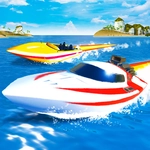
📝Speedboat Challenge Racing Overview
Grab a friend or go solo and wrestle a high-powered speedboat through choppy water without wiping out.
💬What is Speedboat Challenge Racing?
Speedboat Challenge Racing doesn't try to be a sim. It's a blunt, physics-heavy splash fight where the throttle feels more like a suggestion than a control. You're in a zippy little boat, the water keeps rolling, and every jump off a swell is a gamble. Single-player gives you an AI field to bully; two-player puts a friend right next to you on the same keyboard—WASD on one side, arrows on the other. That shared-keyboard chaos is where this game gets loud.
I spent far too long on one course because I kept trying to cut inside the last buoy, hit F for NOS, and ended up doing a backflip into a pier. The T key lets you glance behind you, which sounds useless until you realize the AI is ramming distance. C swaps camera angles, and R resets your boat when you beach it. Those small tools matter because the water itself is an opponent—waves can pitch you sideways mid-turn.
It won't win awards for graphics, but the hook is simple: keep the nose up, time the boosts, and remember that in two-player, the person sitting next to you is absolutely going to shove you into the rocks.
👥How to Play Speedboat Challenge Racing
Single Player Mode:
Move: "W,A,S,D" or "ARROW KEYS"
NOS: "F"
Restart Position: "R"
Look back: "T"
Switch Camera Position: "C"
Two Player Mode:
Player 1:
Move: "W,A,S,D"
NOS: "F"
Restart Position: "R"
Look back: "T"
✨Game Tips
Use NOS on straightaways, not while turning, or you'll fishtail into the nearest buoy.
In two-player mode, the arrow keys are just as important as WASD—guard your side of the keyboard.
Tap T to check behind you before using boost; the AI loves to tailgate.
If your boat gets stuck or flips, hit R immediately instead of waiting for the water to settle.
Practice feathering the throttle through rough patches rather than holding it full blast.
Switch camera with C to find the angle that lets you spot incoming waves early.
🔧FAQ
Q: Is Speedboat Challenge Racing free to play?
A: Yes, it runs free in your browser on unblocked games sites.
Q: Do I need to download anything to play Speedboat Challenge Racing?
A: No download needed—just open the page and start racing.
Q: Can I play Speedboat Challenge Racing on mobile?
A: It's designed for keyboard controls, so desktop is recommended.
Q: Does Speedboat Challenge Racing have a two-player mode?
A: Yes, two players share one keyboard with WASD and arrow keys.
Q: What are the NOS controls in Speedboat Challenge Racing?
A: Press F to activate NOS for a quick speed burst.
Q: How do I reset my boat in Speedboat Challenge Racing?
A: Press R to reset your position if you get stuck or flip over.