
Splatcha!
Play Count0
Published2026-07-29
Supported DevicesPC + Mobile
CategoryAction & Fighting
Rating★★★★★5.0Rate this game
📝Splatcha! Overview
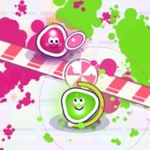
Grab a friend and turn the floor into a chaotic paint war where every dash leaves a splat of your color.
💬What is Splatcha!?
Splatcha! is the kind of game that turns your living room into a shouting match. You and a rival are dumped into a small arena, each trailing your own color of paint everywhere you move. Hold a direction and the paint keeps flowing. The goal isn't just to cover more tiles than the other person—it's to force them into a corner, cut off their trail, and then dash straight through them when they least expect it. The dash is a short burst that leaves a thick blob of your color and can shove the other player off their rhythm. I kept coming back just to see how quickly a tiny map turns into a Jackson Pollock disaster.
Controls are simple but deceptively deep. Player one gets WASD and space, player two gets arrow keys and enter or zero. The auto-paint means you're always making progress, but it also means your path is your signature—an opponent can read exactly where you've been and guess where you're heading. Dashing feels great, but it's not free: if you whiff, you lose momentum and end up in enemy paint, which slows you down. On a gamepad or mobile touch zones (landscape only, trust me), it's just as responsive. The tension builds because every second you're not moving, the other guy's covering your color.
Don't sleep on this one just because it looks like a silly paint fight. The matches are fast, usually under two minutes, so it's perfect for quick back-and-forth sessions. You'll develop little meta tricks—like baiting a dash then sidestepping, or painting a narrow corridor to funnel your opponent. My only gripe is the sound: the splat effect is satisfying but the pause button is easy to hit accidentally on mobile. Still, for a free unblocked game, Splatcha! delivers real couch-competition energy without needing a console.
👥How to Play Splatcha!
CONTROLS Player 1: WASD to move · hold to paint automatically · SPACE to dash
Player 2: Arrow keys · 0 or ENTER to dash
Gamepads supported!
On mobile: touch zones (play in landscape)
P / button = pause · = sound
✨Game Tips
Use short dash taps to juke instead of holding the dash key—you recover faster and keep painting.
Trapping an opponent against a wall with your paint trail is more reliable than chasing them across the arena.
On mobile, always play in landscape; the touch zones overlap in portrait and you'll dash by mistake.
After your opponent dashes, push forward immediately—that's when their paint has a gap you can exploit.
Watch the edges of your own painted zone; straying into enemy color slows you down and makes you an easy target.
🔧FAQ
Q: Is Splatcha! free to play?
A: Yes, it's completely free on unblocked games sites. No payment or hidden fees.
Q: Can I play Splatcha! on my phone?
A: Yes, but use landscape mode. Touch zones split the screen for each player.
Q: Do I need to download anything to play Splatcha!?
A: No, it runs directly in your browser as HTML5. Just open and play.
Q: Does Splatcha! support gamepads?
A: Yes, most standard gamepads work. Plug in and the game usually detects them automatically.
Q: How many people can play Splatcha! at once?
A: Two players, one on WASD and one on arrow keys. There's no single-player mode yet.
Q: What are the controls for player 2?
A: Arrow keys to move, 0 or Enter to dash. On gamepad, use the left stick and a face button.