
SpobgeBob Halloween Coloring Book
Play Count0
Published2023-10-17
Supported DevicesPC + Mobile
CategoryArcade & Classic
Rating★★★★★5.0Rate this game
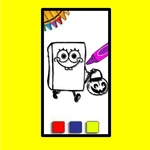
📝SpobgeBob Halloween Coloring Book Overview
Grab your digital crayons and give Bikini Bottom's Halloween a spooky splash of color, one spooky scene at a time.
💬What is SpobgeBob Halloween Coloring Book?
Coloring might sound chill, but there's something weirdly satisfying about turning a black-and-white SpongeBob page into a neon nightmare. You get a set of digital crayons—or paint buckets, depending how you look at it—and a handful of Halloween scenes straight out of Bikini Bottom. Click a color, then click a section of the picture, and it fills instantly. No mess, no broken crayons, no mom yelling about the carpet. The whole thing runs on mouse control, so even a kid who can't read the menu yet can figure it out in about ten seconds.
What got me was how low-pressure it is. There's no timer, no score, no wrong answer. You could make SpongeBob's face pitch black and Gary's shell hot pink, and the game just lets you. That freedom is rare in online games these days. I kept coming back to the same haunted pineapple image just to try different combos—purple sky, lime green pumpkins, blood-red bubbles. It's weirdly meditative, like a color-by-numbers but without the numbers telling you what to do.
If you're looking for a quick brain break between more intense games, this one fits. It loads fast, works in a browser, and doesn't ask for your email or a download. Just click and color. My only complaint is that the name's spelled wrong—SpobgeBob instead of SpongeBob—but honestly, that just makes it feel like a bootleg you'd find in a vending machine, which kind of adds to the charm.
👥How to Play SpobgeBob Halloween Coloring Book
Mouse to play.
✨Game Tips
Click a color first, then click the part of the picture you want to fill—don't forget to switch colors for each section.
If you accidentally fill the wrong area, just click it again with a different color; there's no undo button.
Try unexpected color combos like green pumpkins or purple skies; the game won't judge you.
Small details can be tricky to click, so take your time on tiny sections like eyes or teeth.
Use the brightest colors on dark Halloween backgrounds so your finished page really pops.
Screenshot your best work before closing the tab—the game doesn't save automatically.
🔧FAQ
Q: Is SpobgeBob Halloween Coloring Book free to play?
A: Yes, it's completely free in your browser with no hidden fees or subscriptions.
Q: Do I need to download anything to play?
A: No download needed. The game runs right in your web browser using HTML5.
Q: Can I play on my phone or tablet?
A: Yes, it works on mobile browsers with touch controls—just tap to select colors and fill areas.
Q: What age is this game suitable for?
A: It's perfect for young kids, but anyone who enjoys relaxing coloring games will like it.
Q: How do I control the game?
A: Use your mouse to click a color, then click a section of the picture to fill it with that color.
Q: Does the game save my colored pages?
A: It doesn't save automatically, but you can screenshot or print your finished pictures if you want.