
Sponge Bob Jigsaw Puzzle Collection
Play Count0
Published2021-12-16
Supported DevicesPC + Mobile
CategoryArcade & Classic
Rating★★★★★5.0Rate this game
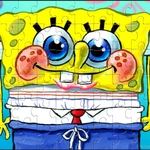
📝Sponge Bob Jigsaw Puzzle Collection Overview
Piece together sunny Bikini Bottom scenes, from the Krusty Krab to Jellyfish Fields, with just your mouse or a quick tap—no missing pieces allowed.
💬What is Sponge Bob Jigsaw Puzzle Collection?
I loaded this up expecting another lazy licensed jigsaw, but the Sponge Bob collection actually got its hooks in me. You pick a Bikini Bottom scene—maybe the Krusty Krab dining room, maybe a Jellyfish Fields sunset—and then you're staring at a scattered heap of shapes. The mouse or tap controls feel immediate: grab a piece, drag it around, and watch it snap into place with that tiny satisfying click when you've found the right spot. No rotation, no timer, no nonsense.
What surprised me was how quickly I stopped thinking and started zoning out. You start by hunting for edge pieces because you need a border, then you sort by color patches—Sandy's fur is easy, Plankton's green skin less so when half the pieces are dark. There was one moment where I swore a piece belonged next to Patrick's rock but it just wouldn't lock. I dragged it away, tried three other spots, and when it finally snapped somewhere completely different I laughed out loud. That little reward loop is what makes the collection replayable.
It's not a hardcore puzzle game. Some images are fairly small, and if you've done a lot of jigsaws you'll breeze through the lower piece counts. But that's also the appeal—it's a warm, low-pressure way to kill ten minutes between classes or while waiting. The art is bright and faithful enough to the cartoon, and the touchscreen handling on my phone didn't make me want to throw it across the room, which is more than I can say for some browser jigsaws. For fans of the show or anyone needing a brain break, it's a solid pick.
👥How to Play Sponge Bob Jigsaw Puzzle Collection
Just use a mouse to control or tap with finger on a phone/laptop.
✨Game Tips
Sort edge pieces first—corners give you an anchor, then build the frame inward.
Use the reference image constantly; squint at color zones to narrow down where a piece belongs.
If a piece feels close but won't lock, it's probably flipped or belongs to a different section—move on fast.
On mobile, drag with one finger and release slowly; quick flicks send pieces flying.
Start with lower piece counts to learn each image's tricky areas before jumping to higher difficulties.
Keep the preview open in a second tab or overlay so you don't have to memorize the scene.
🔧FAQ
Q: Is Sponge Bob Jigsaw Puzzle Collection free to play?
A: Yes, it runs right in your browser with no paywall.
Q: Can I play Sponge Bob Jigsaw Puzzle Collection on my phone?
A: Absolutely—just tap and drag pieces on the touchscreen.
Q: Do I need to download or install anything?
A: No download needed. Open the page and the game starts.
Q: Are the puzzle images all from SpongeBob SquarePants?
A: The scenes are all Bikini Bottom themed, featuring the show's main characters and locations.
Q: Can I change the number of pieces in a puzzle?
A: Many versions let you pick difficulty, which changes piece count and shape complexity.
Q: Does Sponge Bob Jigsaw Puzzle Collection require an internet connection?
A: Yes, since it's an HTML5 browser game, you need to be online to load it.