
Spongebob Coloring
Play Count0
Published2020-07-07
Supported DevicesPC + Mobile
CategoryArcade & Classic
Rating★★★★★5.0Rate this game
📝Spongebob Coloring Overview
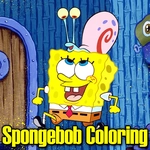
Grab your virtual crayons and splash some color onto Bikini Bottom's best-known faces before SpongeBob turns everything yellow.
💬What is Spongebob Coloring?
If you've ever wanted to fill Bikini Bottom with colors that would make even Squidward crack a smile, this is your chance. Spongebob Coloring drops a stack of black-and-white scenes onto your screen and hands you a digital paint set. No timers, no wrong answers—just you, a mouse (or your finger on a tablet), and a bunch of undersea characters waiting to get weird.
The controls are about as simple as they come. Pick a color from the palette, then click any section of the picture to fill it in. I kept flipping between bright orange for SpongeBob's pores and a nasty brown for Patrick's shorts, only to realize I'd colored outside the lines in my head. You can't actually mess up because the game locks each section when you click it. That's the beauty of it—it feels like a coloring book that forgives sloppy fingers.
There's a decent spread of images to work through, mostly classic SpongeBob faces and poses. Some pages have larger areas, which is nice if you're just killing time, while others have smaller details like Gary's shell or jellyfish fields that demand a bit more patience. It's not going to challenge your reflexes or make you think, and that's exactly why it works. Perfect for when you want to unplug your brain for ten minutes and pretend you're eight again. If you've got a kid nearby, hand them the mouse and let them go wild—they'll probably pick better color combos than you.
👥How to Play Spongebob Coloring
Use your mouse to play or tap on the screen!
✨Game Tips
• Click the same section twice to try a new color before moving on.
• Use larger areas first if you're on mobile; smaller spots are easier with a mouse.
• Don't feel locked into show-accurate colors—Patrick looks amazing in purple.
• Zoom in or enlarge the page so you don't tap the wrong patch.
• Screenshot your finished page if you want to keep it.
🔧FAQ
Q: Is Spongebob Coloring free to play?
A: Yes, it's completely free in your browser with no paywalls or subscriptions.
Q: Do I need to download anything to play Spongebob Coloring?
A: No download required. It runs on HTML5 directly in your browser.
Q: Can I play Spongebob Coloring on my phone or tablet?
A: Yes, the touch controls work on mobile browsers. Just tap the screen to color.
Q: What age group is Spongebob Coloring for?
A: It's aimed at kids and casual players, but anyone who likes coloring can enjoy it.
Q: Does the game save my finished coloring pages?
A: It depends on the version. Some browsers let you screenshot, but the game may not auto-save.
Q: Why won't the colors fill in when I click?
A: Make sure you're clicking directly inside a white area. The color only fills the section you tap.