
SpongeBob Dress Up
Play Count0
Published2022-02-03
Supported DevicesPC + Mobile
CategoryFun & Crazy
Rating★★★★★5.0Rate this game
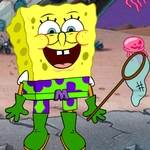
📝SpongeBob Dress Up Overview
Drag googly eyes onto SpongeBob and dress him up as a pirate, a princess, or a pink jellyfish — the sillier the better.
💬What is SpongeBob Dress Up?
I wasn't expecting much from a SpongeBob dress up game, but the expression menu alone had me clicking for ten minutes. You get a row of iconic SpongeBob faces — the toothy grin, the sad frown, the utterly confused stare — and swapping them instantly changes the whole energy of whatever ridiculous outfit you've thrown on him. It's low effort, high payoff. The top menu holds the clothing and buddy options; you can toss a pirate hat on him, give him a flower crown, or stick him in a tux, then drag Patrick or Squidward into the frame to judge. There's no score, no timer, just pure goofy customization.
The drag-and-drop works fine on both mouse and touch, though the hitboxes for the smaller accessories can be a little finicky. I found myself re-tapping the hat a few times before it landed right. That's about the only friction. The real fun is experimenting: put the angriest face with the prettiest dress and you've got meme material. Or make SpongeBob look blissfully happy while Squidward stares in horror next to him. The game doesn't tell you to do any of this — it just leaves the pieces there and lets you discover the comedy.
It's not deep, and it won't hold your attention for an hour. But for a five-minute brain break between classes or a quick laugh with a friend, it does exactly what it should. Kids will enjoy it because SpongeBob, and adults will secretly enjoy it because making cartoon characters look absurd never gets old. If you're looking for a challenge, this isn't it. If you want to put a monocle on SpongeBob and make him cry, congratulations, you've found your game.
👥How to Play SpongeBob Dress Up
You can choose facial expressions from the emoticon menu on the left. From the top side you can choose the dress and friend
✨Game Tips
Change SpongeBob's facial expression before adding clothes — it sets the tone for the whole look.
Try the smallest hat with the biggest frown for instant comic effect.
Drag Patrick or Squidward into the scene; their bemused expressions double the humor.
If an item won't drop on the first tap, press a little longer or aim for the center of the accessory.
Mix the fanciest outfit with the saddest face for accidental meme gold.
No timer means you can take your time layering weird combos.
🔧FAQ
Q: Is SpongeBob Dress Up free?
A: Yes, the game is completely free to play in your browser.
Q: Can I play SpongeBob Dress Up on mobile?
A: Yes, it works on phones and tablets with touch controls.
Q: Do I need to download anything?
A: No downloads needed; it runs instantly in any modern browser.
Q: How do I change SpongeBob's face?
A: Click or tap any expression icon from the left menu.
Q: Can I choose different friends to appear?
A: Yes, the top menu lets you pick a friend like Patrick or Squidward.
Q: Is this game suitable for young kids?
A: Yes, it's non-violent and easy enough for ages 5 and up.