
SpongeBob Find The Differences
Play Count0
Published2024-12-06
Supported DevicesPC + Mobile
CategoryPuzzle & Thinking
Rating★★★★★5.0Rate this game
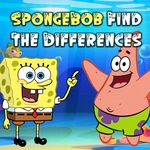
📝SpongeBob Find The Differences Overview
Spot the tiny tweaks hidden across Bikini Bottom — every wrong click costs you, and the timer's already ticking.
💬What is SpongeBob Find The Differences?
You get two side-by-side frames from the SpongeBob universe, and at first glance they're identical. They're not. Maybe Patrick's rock has an extra window, or the Krabby Patty sign lost a letter, or Squidward's clarinet is slightly shorter. That's the whole loop — click the difference, watch it circle, move on. I got hung up on a jellyfish field for way too long because the only change was one missing spot on a jellyfish. The more you play, the more you start scanning edges, shadows, really tiny stuff.
There's a timer, so you can't just stare forever. Some versions of these difference games give you three lives or a score penalty for random clicking, and that changes everything. You stop being sloppy. You start comparing item by item, background first, then foreground. SpongeBob's pineapple house, the Chum Bucket, Goo Lagoon — familiar spots help, but the artist sneaks in changes where you least expect them.
For what it is, it's a surprisingly chill way to burn ten minutes. No controls to learn, no weird mechanics, just your eyes and a mouse. It's perfect if you want something light but not mindless. You'll probably miss a few, curse at the screen, then click replay because that one missing spot is still bugging you.
👥How to Play SpongeBob Find The Differences
Mouse
✨Game Tips
Don't click randomly — wrong clicks can lock you out or drain lives fast.
Trace each frame left to right, top to bottom, comparing one small zone at a time.
Pay extra attention to backgrounds, signs, and character clothing details.
Use the timer as a pressure tool, not a panic button — steady beats fast.
If you're stuck on a busy scene, blur your eyes slightly and look for breaks in the pattern.
Replay levels you've beaten — the differences sometimes shuffle, training your eye for next time.
🔧FAQ
Q: Is SpongeBob Find The Differences free?
A: Yes, it's completely free to play in your browser with no hidden paywalls.
Q: Can I play SpongeBob Find The Differences on mobile?
A: It works on most mobile browsers, but a mouse or trackpad gives you better click precision.
Q: Do I need to download anything to play?
A: No download needed. It runs right in your browser as an HTML5 game.
Q: Is this game suitable for younger kids?
A: Absolutely. It's non-violent, uses familiar SpongeBob characters, and helps build observation skills.
Q: What happens if I click the wrong spot?
A: You'll lose a life or get a time penalty, so it's better to inspect carefully before clicking.
Q: Can I replay a level after I finish it?
A: Yes, you can replay any level to beat your previous time or spot differences you missed.