
Spooky Memory
Play Count0
Published2021-10-13
Supported DevicesPC + Mobile
CategoryArcade & Classic
Rating★★★★★5.0Rate this game
📝Spooky Memory Overview
Flip over creepy cards and test your memory against a ticking clock in this spooky Halloween twist on a classic matching game.
💬What is Spooky Memory?
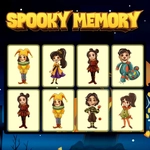
Spooky Memory throws you into a dimly lit grid of face-down cards, each hiding a Halloween icon like a jack-o'-lantern, a black cat, or a grinning skull. You click two cards at a time, trying to find matching pairs before the board flips them back over. It starts simple enough, but the real trick is keeping track of where that stupid ghost card was when you saw it two turns ago. I've lost count of how many times I flipped the same wrong bat three times in a row.
The game uses a straightforward mouse or touchpad control scheme—click or tap a card to reveal it, then click another to see if they match. No timers to stress over in the basic mode, just pure memory drill, though some versions might add a countdown to tighten the screws. The spooky theme isn't just window dressing; the card art has enough personality that you actually curse the pumpkin when it refuses to show up where you remembered.
For a quick brain warm-up, Spooky Memory hits the spot. It's the kind of game you open intending to play one round, then suddenly you're five rounds deep because you know the witch card is somewhere in the third row and you refuse to let it beat you. The difficulty scales naturally with how many pairs are on the board, so if you want a real test, look for a level with a bigger grid. Nothing beats the little rush when you clear the board without a single mismatch.
👥How to Play Spooky Memory
Use mouse or touch pad to play this game.
✨Game Tips
Flip the same card twice early on to lock its position in your head before moving to new cards.
Work the grid in a set pattern (left to right, top to bottom) so you don't skip over hidden pairs.
When you spot a match, don't grab it immediately—finish scanning a few nearby cards first to keep the board fresh in memory.
If you're on a timer, prioritize matching cards in the corners; they're easiest to lose track of.
Use the first few mismatches to map the board, not to win—your goal is information, not speed.
Don't rely on remembering exact images; remember positions relative to edges or other distinct cards.
🔧FAQ
Q: Is Spooky Memory free to play?
A: Yes, it's completely free—no hidden charges or premium unlocks.
Q: Can I play Spooky Memory on my phone?
A: Yes, the game works on mobile browsers with touch controls, so you can tap cards directly.
Q: Do I need to download anything to play?
A: No downloads needed. It runs right in your browser as an HTML5 game.
Q: What are the controls for Spooky Memory?
A: Use your mouse or touchpad to click cards. On mobile, just tap the cards you want to flip.
Q: Does Spooky Memory have different difficulty levels?
A: Some versions offer larger grids or timed modes, but the base game lets you play at your own pace.
Q: Is Spooky Memory safe for kids?
A: Yes, the spooky theme is cartoonish and not scary—perfect for a Halloween-themed memory challenge.