
Sprunki Retake Creamy
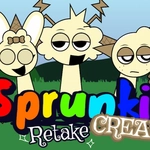
📝Sprunki Retake Creamy Overview
Drag a few goofy characters onto the stage and suddenly you're running your own beat laboratory — complete with a horror toggle if things get too cute.
💬What is Sprunki Retake Creamy?
Sprunki Retake Creamy is the kind of browser toy you open intending to mess around for two minutes and then realize half an hour vanished. The whole thing works like a stripped-down Incredibox: there's a row of blank characters, a tray of icons, and each icon carries a different vocal loop, drum hit, or synth stab. Drag one onto a character and the little guy starts performing. Stack a few and they sync into a surprisingly coherent groove. I won't pretend it's a full DAW — it's not — but for a free HTML5 game, the layering is satisfyingly tight.
The twist everyone talks about is Horror Mode. You take the black icon and drop it on any active slot. Everything flips: the cheerful beeps warp into detuned drones, the bright stage goes dark and glitchy, and the loops get this unsettling vinyl-skip quality. It's not just a palette swap either; the actual soundbank changes. I had a fun little beat going with two bouncy percussion loops and a bright vocal, then dropped the black icon on the bass slot and suddenly I was listening to something that would fit a low-budget creepypasta. The contrast is what makes it work — you can snap back to normal by removing the icon, and the whiplash is hilarious.
It's a fan-made retake, so don't expect a tutorial or a save system. The icon art is simple but readable, and the drag-and-drop feels okay on both mouse and touch. A few combos clip if you stack too many of the same type, but honestly that chaos is part of the appeal. If you've ever lost an afternoon to Incredibox or just want a five-minute noise toy between classes, this scratches that exact itch. Just keep your volume reasonable when Horror Mode kicks in — it gets loud.
👥How to Play Sprunki Retake Creamy
Each icon represents a unique character.
Drag and drop any icon onto a polo to make the character start singing.
To activate Horror Mode, place the black icon on any polo.
✨Game Tips
Lay down one percussion and one bass icon first, then add vocals on top so the mix stays clean.
Try placing the black icon on different characters — the horror shift changes depending on which slot you corrupt.
Remove icons one at a time when horror mode gets too muddy; it's the fastest way to isolate the ugly layer.
Use headphones if you can. The stereo panning makes each loop pop way more than laptop speakers.
Don't sleep on the mute option in your browser tab; horror mode can spike volume unexpectedly.
🔧FAQ
Q: Is Sprunki Retake Creamy free to play?
A: Yes, it's completely free in your browser with no hidden payments or paywalls.
Q: Can I play Sprunki Retake Creamy on mobile?
A: Yes, it runs in mobile browsers. Drag and drop works fine on touchscreens, though buttons can be small.
Q: Do I need to download anything to start playing?
A: No download required. It loads directly as an HTML5 game, so just open the page and play.
Q: How do I activate Horror Mode?
A: Drag the black icon onto any character slot and the entire mix shifts into a darker, glitchy version.
Q: Do I need musical experience to enjoy it?
A: Not at all. Every icon loops perfectly in key, so any combination sounds intentional.
Q: Can I play offline after loading the page?
A: Usually yes once the game is cached, but a stable connection is recommended for the first load.