
Sprunki Squid Gaming
Play Count0
Published2025-08-19
Supported DevicesPC + Mobile
CategoryAction & Fighting
Rating★★★★★5.0Rate this game
📝Sprunki Squid Gaming Overview
Green light, red light — one wrong tap sends you tumbling. Grab a friend, pick a side, and see who survives the playground gauntlet in Sprunki Squid Gaming.
💬What is Sprunki Squid Gaming?
Sprunki Squid Gaming takes the nerve-shredding tension of that hit survival show and squashes it into bite-sized, head-to-head minigames. You and a friend share one keyboard — one hand on A, the other on P — and each round is a frantic race to react faster, stop cleaner, or just not mess up first. There's no campaign, no fluff. Two modes, both over in a couple of minutes, perfect for proving who's got the sharper reflexes.
I played the red light/green light style mode and found myself leaning forward, thumb hovering, because that tiny pause between 'green' and 'red' is exactly where you lose. The controls feel intentionally stiff — hold too long and your Sprunki tumbles backward. It's unfair in the best way. The second mode flips the script: instead of freezing, you're chasing or dodging, and the P-key player gets a slightly different movement pattern that keeps things from feeling symmetrical. You'll accuse your friend of cheating at least once.
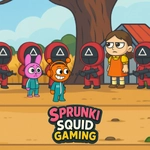
The visuals are bright but slightly grimy, like a playground after rain, with the Sprunki characters looking equal parts cute and doomed. The buzzer sound hits harder than it should. It's the kind of game you'll open for five minutes and burn an hour on. Simple, loud, and just mean enough to start arguments.
👥How to Play Sprunki Squid Gaming
*Use the A and P keys to move.
*Playable on both mobile and PC.
*2 different short game modes.
✨Game Tips
Tap, don't hold — a quick key press stops you faster than a long press in freeze-based rounds.
Watch your opponent's hand, not just the screen; their flinch often telegraphs the next move.
Position your Sprunki near the finish line early in red light mode, but not too close — one late stop kills the run.
Swap sides after each match; the P-key movement feels slightly different and can favor the opposite player.
Use the mode select screen to warm up — each mini-game has a different timing window you'll want to feel out.
If you're on mobile, connect a keyboard for true 2-player; touch controls aren't ideal for split reactions.
🔧FAQ
Q: Is Sprunki Squid Gaming free to play?
A: Yes, it runs directly in your browser at no cost. No hidden fees or premium unlocks.
Q: Can I play Sprunki Squid Gaming on mobile?
A: Yes, the game supports mobile, but for the intended 2-player experience, a physical keyboard works best.
Q: Do I need to download anything to play?
A: No download or installation is required. It's an HTML5 game that loads instantly on any modern browser.
Q: Can I play Sprunki Squid Gaming by myself?
A: It's designed for two players sharing one keyboard. You could control both keys alone, but it defeats the purpose.
Q: What are the two game modes?
A: One focuses on freeze-style reaction, while the other emphasizes chasing or dodging. Both are short, fast rounds.
Q: Does it feature actual Squid Game characters?
A: No, it uses Sprunki-style characters in survival-themed minigames inspired by the show's tension, not official characters.