
Squid Game: Shooting Survival
Play Count0
Published2021-10-22
Supported DevicesPC
CategoryAction & Fighting
Rating★★★★★5.0Rate this game
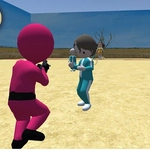
📝Squid Game: Shooting Survival Overview
Dodge the doll's gaze, grab a gun, and blast your way through every round—Squid Game just got a lot more lethal.
💬What is Squid Game: Shooting Survival?
Forget the Netflix show's polite tension—this version hands you a gun and pushes you into a shooting gallery dressed up as childhood games. You'll creep forward during Green Light, freeze when the giant doll swings around, and line up headshots on the masked guards before they can return fire. Movement feels floaty at first, but that's part of the terror: panic-spraying wastes ammo, and you'll hear footsteps closing in from the sides. The first time I cleared the Red Light stage, my hands were actually sweating.
Controls are simple: WASD to walk, mouse to look and shoot, E to hop in and out of vehicles, and Tab for the menu. Vehicles aren't just set dressing—grabbing a truck changes the fight completely, letting you mow down guards or use it as mobile cover. The shooting model is hit-scan enough to feel responsive, but headshots matter way more than body shots, so precision beats panic. Ammo isn't infinite, and reloading in the open is a death sentence.
What keeps me coming back is the survival loop. Each round raises the stakes, throws in new enemy types, and forces you to decide between looting corpses for better guns or sprinting to the next checkpoint. It's rough around the edges—some animations jank, and the menu is barebones—but the tense, twitchy gunplay fits the Squid Game vibe perfectly. If you want a quick, violent blast that doesn't take itself seriously, this one's worth a few runs.
👥How to Play Squid Game: Shooting Survival
WASD - WALK
Use mouse to look around , aim and shooting
Press E to enter and exit vehicle
Tab to show menu.
✨Game Tips
- Always reload behind cover—standing in the open mid-reload is a fast ticket back to the lobby.
- Aim for the head: masked guards drop in one shot, body shots take three or four.
- Grab a vehicle when you see one; it turns a firefight into a demolition derby.
- Don't sprint through Green Light—moving while the doll watches gets you eliminated instantly.
- Loot every corpse; better guns and extra ammo spawn on dead guards.
- Use Tab to check your objectives if you get turned around.
🔧FAQ
Q: Is Squid Game: Shooting Survival free?
A: Yes, it's completely free to play in your browser with no hidden paywalls.
Q: Can I play Squid Game: Shooting Survival on mobile?
A: The mouse and keyboard controls are required, so a desktop or laptop is recommended for the best experience.
Q: Do I need to download anything to play?
A: No downloads needed. It runs directly in your web browser as an HTML5 game.
Q: What are the controls?
A: Use WASD to walk, mouse to look and shoot, E to enter vehicles, and Tab to open the menu.
Q: Is it based on the Netflix series?
A: Yes, it borrows the Squid Game theme with survival shooting, but it's an unofficial fan-made browser game.
Q: Can I save my progress?
A: Progress is session-based; refreshing the page restarts your run from the beginning.