
Squid Game Space
Play Count0
Published2022-01-03
Supported DevicesPC + Mobile
CategoryAction & Fighting
Rating★★★★★5.0Rate this game
📝Squid Game Space Overview
Dodge laser grids, outrun masked guards, and survive zero-gravity Red Light Green Light in this brutal space station mashup.
💬What is Squid Game Space?
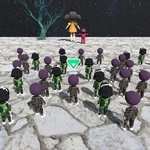
Mouse controls are everything here, and that's both the best and worst part. You drag your cursor to move your contestant through a derelict space station, clicking to interact with glowing panels or grab items. The first game, Red Light Green Light, flips the gravity off — you're drifting toward the finish line while a giant robot doll spins her head. On green, you push your mouse forward; on red, you freeze. Except your cursor has momentum. I lost three runs because my hand shook half a pixel during the scan, and a turret turned my character into space dust before I could blink. It's infuriating and brilliant.
After that, you get Dalgona with a laser cutter: trace the shape without melting the edges. The hitboxes are tight, so a steady hand matters more than speed. Then comes zero-g Tug of War, where you click in short bursts to pull the rope instead of mashing like a maniac. The game rewards rhythm over reflexes, which is a nice change from typical mouse-spam action games. If you like your challenges unfair but addictive, this one'll sink its hooks in.
The visuals are simple but effective — neon outlines and dark corridors that make the whole thing feel like a low-budget sci-fi nightmare. There's no story to speak of, just level after level of twisted children's games reimagined in space. It runs smooth in any browser, no downloads, and the difficulty ramps hard after the third stage. Bring patience and a steady mouse.
👥How to Play Squid Game Space
Play ith your mouse.
✨Game Tips
During Red Light Green Light, release the mouse entirely when the head turns red — even resting your hand on it can cause a fatal twitch.
For the laser Dalgona, zoom in if the game allows and cut from the center outward to avoid breaking the shape's edges.
Tug of War isn't about speed: click in groups of three, then pause a beat to let the rope settle before the next pull.
Learn the turret firing pattern in each corridor — they always beep twice before a volley, so move on the second beep.
Set your mouse sensitivity lower than usual; this game punishes high-DPI flick shots.
🔧FAQ
Q: Is Squid Game Space free to play?
A: Yes, it's completely free in your browser with no paywalls.
Q: Do I need to download anything to play Squid Game Space?
A: No downloads or installations required. It runs on HTML5.
Q: Can I play Squid Game Space on my phone?
A: It works on mobile browsers, but mouse controls are far more precise on desktop.
Q: Why won't Squid Game Space load on my school network?
A: Some school filters block game sites. Try a different network or use a VPN.
Q: Does Squid Game Space have multiple levels or just one game?
A: It features several stages inspired by the show, each with unique mouse challenges.
Q: Is there a way to pause or restart a level quickly?
A: Press R to restart the current level, or use the pause button in the top corner.