
Squid Game : Tug Of War
Play Count0
Published2021-10-12
Supported DevicesPC + Mobile
CategoryAction & Fighting
Rating★★★★★5.0Rate this game
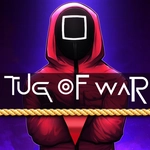
📝Squid Game : Tug Of War Overview
Two players, one rope, and a pit below — mash your key faster than your rival or take the fall.
💬What is Squid Game : Tug Of War?
This is a proper test of button-mashing nerve, stripped right out of the show's most unfair contest. Player 1 hammers W, Player 2 slams the Up Arrow, and the rope slides center-screen while both characters lean back with everything they've got. I kept thinking it'd be a quick match, but the real fight is in the last sliver of ground — if your rhythm wobbles even for half a second, you'll watch your guy stumble forward and drop.
What makes it work is how little else there is. No power-ups, no health bars, no tutorials. Just raw speed and the knowledge that the loser gets deleted by the pit. The rope physics feel jittery and tense, almost like it's resisting both of you, and that's exactly the point. My thumb was sore after three rounds on a keyboard, which is probably the intended experience.
If you've got a friend nearby, it turns into a shouting match instantly. I'd say it's best as a local grudge match, though playing against yourself is good for warming up your fingers. Don't expect deep strategy — just pick a steady rhythm, brace your wrist, and don't glance at your opponent's hands because that'll throw you off.
👥How to Play Squid Game : Tug Of War
Game Controls:
Player 1: "W"
Player 2: "UP ARROW"
✨Game Tips
Use short, quick taps at the start to find your rhythm before committing to full speed.
Keep your finger or key press consistent — bursts of mashing tire you out faster than a steady pace.
Watch the rope marker, not the other player's character; it shows who's actually gaining ground.
If you start losing, don't panic and mash harder — reset to a controlled rhythm instead.
Sit side by side if playing with someone, because screen-cheating is half the fun here.
🔧FAQ
Q: Is Squid Game : Tug Of War free to play?
A: Yes, it's completely free in the browser, no payment or sign-up needed.
Q: Can I play on a laptop or desktop keyboard?
A: Absolutely — Player 1 uses W, Player 2 uses the Up Arrow key.
Q: Does it work on mobile or tablet?
A: The controls are built for physical keys, so a keyboard is recommended for both players.
Q: Do I need to download anything?
A: No downloads or installs, just open the page and start pulling immediately.
Q: Can I play it by myself?
A: Yes, you can control both characters or take on the second side, though it's more chaotic.
Q: Is there an online multiplayer mode?
A: This version is local only, so you'll need two players on the same device.