
Squishmallow Coloring Book
Play Count0
Published2025-07-08
Supported DevicesPC
CategoryPuzzle & Thinking
Rating★★★★★5.0Rate this game
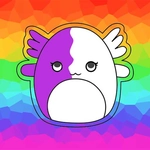
📝Squishmallow Coloring Book Overview
Grab your digital crayons, pick a squishy canvas, and turn blank outlines into pastel perfection—no cleanup required.
💬What is Squishmallow Coloring Book?
Coloring games usually make me roll my eyes, but this one caught me off guard. You get a stack of line-art pages featuring those ridiculously round Squishmallow characters—axolotls, unicorns, bunnies, whatever the algorithm decided should exist as a plush. The loop is stupid simple: tap a color swatch, then tap a section of the drawing to fill it. No mess, no going outside the lines unless you really try. The palette sits off to the side, and each page starts as a blank outline, so there's zero pressure to be artistic. You just pick a vibe and go.
What surprised me is how much tiny choices matter. I spent ten minutes deciding whether a cow Squishmallow should have mint-green spots or lavender ones. Then I realized the fill on pastel colors is super subtle, so I kept tapping the same cheek thinking it wasn't working. It was. I just couldn't tell. That's actually the niche joy here—slow, slightly obsessive color matching for people who like order. The undo button became my best friend because sometimes you want to try a whole different shade after seeing it next to the pink background. That's a sentence I never thought I'd write about a browser game.
It won't replace your favorite shooter, but for a lunch break or a wind-down session before bed, it's weirdly meditative. The pages are cute enough that my niece stole my phone to finish a rainbow axolotl, which feels like the highest compliment a coloring game can get. If you need a low-stakes way to kill ten minutes or just want to see a pastel penguin come together, this does the job without asking for your email or a download.
👥How to Play Squishmallow Coloring Book
Mouse click or tap to play
✨Game Tips
Tap the color swatch first, then the section you want—double-check the selected shade before going wild.
Try zooming in if the page allows it, because tiny details like eyes and blush spots need precise taps.
Don't stick to realistic colors; a neon green axolotl is objectively funnier than a plain pink one.
Use the undo button instead of repainting the whole area when a color combo looks off.
On mobile, use your finger or a stylus for better control on smaller sections.
Take a screenshot of your finished page before clicking next, since not every version saves automatically.
🔧FAQ
Q: Is Squishmallow Coloring Book free?
A: Yes, it's completely free to play in your browser with no hidden fees or paywalls.
Q: Can I play Squishmallow Coloring Book on my phone?
A: Absolutely. The tap controls work perfectly on touchscreens, so phones and tablets are fine.
Q: Do I need to download anything to play?
A: No downloads needed. Just open the game page and start coloring right away.
Q: Is Squishmallow Coloring Book safe for young kids?
A: Yes, it's very kid-friendly with simple controls, no violence, and cute characters.
Q: What should I do if I tap the wrong area and mess up?
A: Look for an undo button or tap the correct color over the mistake to fix it.
Q: Can I save or print my completed coloring pages?
A: Some versions let you screenshot or download your art; otherwise, use your device's screenshot feature.