
Stack Tide
Play Count0
Published2026-04-30
Supported DevicesPC + Mobile
CategoryArcade & Classic
Rating★★★★★5.0Rate this game
📝Stack Tide Overview
Drop, rotate, and stack blocks as the tide rises — how long can you keep your tower from toppling into the waves?
💬What is Stack Tide?
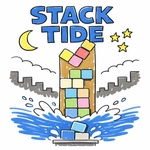
Stack Tide is the kind of arcade game that sneaks up on you. You start out casually dropping blocks onto a floating platform, thinking it's just a chill Tetris variant. Then the tide starts rising, and suddenly every move matters. The block drifts side to side, you rotate it with Q/E or the arrow keys, and hit Space to drop. Miss the edge? It slides off into the water and you lose a life. The platform shifts with the waves, so your tower sways. I've lost count of how many times I had a perfect tower going, got greedy with one last block, and watched the whole thing tip over like a drunk Jenga stack.
What makes it addictive is the pressure. The tide doesn't wait. You'll be mid-rotation, hearing the water gurgle up, and your brain screams 'just drop it already.' The blocks aren't uniform either — some are long, some square, some weirdly shaped, so you're constantly doing mental geometry under duress. I found myself holding my breath whenever the water touched the base of my tower. And when you survive a close call, that little burst of relief is worth the stress.
It's not a long game by design, but you'll hit 'retry' more than you expect. The controls are tight — mouse drag works fine, but I preferred keyboard for precision. The mobile version is surprisingly good with tap and drag. If you like games like Tricky Towers or Stack but want a bit more urgency, Stack Tide hits that sweet spot between zen and panic.
👥How to Play Stack Tide
Desktop: Drag with the mouse or use A/D and Left/Right Arrow to move. Press Q/E or Up/Down Arrow to rotate. Press Space or Enter to drop.
Mobile: Tap and drag to move blocks.
✨Game Tips
Rotate early — don't wait until the block is over the drop zone.
Keep an eye on the tide timer; build fast when it's about to rise.
Flat blocks are easier to stabilize than tall ones, so rotate for width when possible.
Don't chase perfect placement; a slightly off-center block is often fine.
Use Q/E for fine rotation adjustments if mouse feels twitchy.
If the tower starts leaning, drop a counterweight on the opposite side quickly.
🔧FAQ
Q: Is Stack Tide free?
A: Yes, Stack Tide is completely free to play on this unblocked games site.
Q: Can I play Stack Tide on mobile?
A: Yes, it works on mobile browsers. Tap and drag to move blocks, and use on-screen hints for rotation and dropping.
Q: Do I need to download anything to play Stack Tide?
A: No downloads needed. It runs right in your browser as HTML5.
Q: What are the controls for Stack Tide?
A: Desktop: A/D or Left/Right arrows to move, Q/E or Up/Down arrows to rotate, Space or Enter to drop. Mobile: tap and drag.
Q: Does Stack Tide work offline?
A: Once the game loads in your browser, you can usually keep playing even if your connection drops briefly, but initial loading requires internet.
Q: Can I play Stack Tide unblocked at school?
A: Yes, this site hosts the game unblocked, so school or work filters typically won't block it.