
Star Adventure
Play Count0
Published2022-05-04
Supported DevicesPC
CategoryArcade & Classic
Rating★★★★★5.0Rate this game
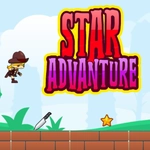
📝Star Adventure Overview
Zigzag through asteroid fields, snag power-ups, and see how far you can push your little star before the void swallows you.
💬What is Star Adventure?
Star Adventure doesn't mess around with complicated controls. You tap the Up arrow, your little star hops, and that's the whole toolkit. But don't let the one-button setup fool you — the gaps widen, the platforms shrink, and the speed creeps up until your reflexes are doing all the heavy lifting.
I kept dying at the same stretch of crumbling ledges for ten minutes straight. The timing window is maybe a third of a second, and if you hesitate, you're space dust. That's the hook, though: each run feels just barely possible, so you tell yourself one more try. The star's little bounce has a satisfying weight to it, too — not too floaty, not too stiff. You'll learn to feather your jumps or hold for a higher hop depending on the gap.
It's the kind of game you open during a boring class or a slow work break and suddenly twenty minutes are gone. There's no story, no upgrades, no nonsense. Just you, the void, and a jump button. For an arcade purist, that's comfort food.
👥How to Play Star Adventure
Jump : Up Arrow
✨Game Tips
Tap the Up arrow just before you hit the ground to chain jumps without losing momentum.
Focus on the upcoming platform, not your star, so you can time the next gap early.
Let go of the arrow immediately after jumping if you need a shorter, quicker hop.
The game speeds up every 30 seconds, so don't get comfortable with the early pace.
If a gap looks too wide, aim for the nearest edge and accept you might clip it — sometimes a near miss still counts.
Play in a quiet room first; the rhythm of jumps is easier to lock in without distractions.
🔧FAQ
Q: Is Star Adventure free?
A: Yes, it's completely free to play in your browser with no hidden paywalls.
Q: Can I play Star Adventure on my phone?
A: The browser version works on mobile, but you'll need an external keyboard or touch controls if the site provides them.
Q: Do I need to download anything to play Star Adventure?
A: No downloads needed — just open the game page in any modern browser and press Up to start.
Q: How do I control the star in Star Adventure?
A: Use the Up Arrow key to jump. That's the only control. Tap repeatedly for higher or longer jumps.
Q: Is Star Adventure suitable for young kids?
A: Yes, it's non-violent and simple to learn. The increasing speed might frustrate very young children, though.
Q: Why does my star keep dying in Star Adventure?
A: You're likely mistiming jumps on gaps or landing on obstacles. Practice short hops by tapping Up quickly instead of holding it.