
Star Breakout
Play Count0
Published2026-02-02
Supported DevicesPC
CategoryArcade & Classic
Rating★★★★★5.0Rate this game
📝Star Breakout Overview
Laser-focused paddle control meets star-brick carnage in this pure arcade reflex test.
💬What is Star Breakout?
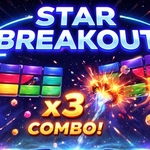
Star Breakout drags the classic brick-breaker into a starry arcade cabinet without a single quarter. You've got a paddle sliding along the bottom, a ball that obeys physics but occasionally plays dumb, and a grid of glowing blocks waiting to be chipped away. What hooked me: the moment the ball speeds up after hitting the last few blocks, forcing you to stop watching the pretty explosions and start reading angles three bounces ahead.
The controls are the kind you forget you're using. Move the mouse, the paddle follows like it's glued to your cursor. Tap or click to launch — and then you're just reacting. On touch, your finger becomes the paddle, which actually feels tighter than mouse because there's no dead zone. The pause button is a lifesaver when the cat jumps on the keyboard, though real players won't need it until their hands cramp.
Don't expect a storyline or fifty levels of gimmicks. This is a score-chase purist. Each cleared wave resets with a fresh wall, and the ball's launch angle depends on where you hit the paddle — center sends it straight up, edges send it sideways. That's the whole trick. But missing that one block in the corner while the ball ricochets like a caffeinated pinball? That's the part that kept me restarting. If you like Breakout, you'll feel right at home; if you've never played one, this is the cleanest introduction you can get without installing anything.
👥How to Play Star Breakout
Move the paddle with your mouse or finger (touch). Click or tap to launch the ball. Use Pause/Resume buttons to stop or continue the game.
✨Game Tips
Aim for the edges: a slightly angled paddle sends the ball sideways, clearing corner blocks first.
Don't chase the ball with the paddle; match its shadow instead to stay centered.
The last block is the deadliest. Slow your paddle movement when only two or three remain.
Click to launch only when the ball rests on the paddle — launching early wastes a life.
Use pause before a tough volley to reset your wrist, especially after long rallies.
On touch screens, drag near the bottom edge; lifting your finger for a second can readjust without losing the ball.
🔧FAQ
Q: Is Star Breakout free to play?
A: Yes, it's completely free in your browser with no hidden fees or paywalls.
Q: Can I play Star Breakout on my phone?
A: Yes, touch controls work natively on mobile browsers. No app needed.
Q: Do I need to download anything to run Star Breakout?
A: No download is required. Just open the page and start playing.
Q: How do I launch the ball in Star Breakout?
A: Click or tap once while the ball sits on the paddle. It fires upward.
Q: Can I pause the game mid-round?
A: Yes, there are Pause and Resume buttons on screen to freeze the action anytime.
Q: What happens when the ball falls past the paddle?
A: You lose one life. The ball resets on the paddle for another launch.