
Steve and Alex Ender World
Play Count0
Published2022-11-02
Supported DevicesPC + Mobile
CategoryAction & Fighting
Rating★★★★★5.0Rate this game
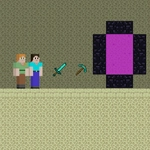
📝Steve and Alex Ender World Overview
Grab a friend and leap through the End together—Steve and Alex get double jumps, floating islands, and zero checkpoints.
💬What is Steve and Alex Ender World?
You haven't truly tested a friendship until you've spent twenty minutes trying to cross a gap in Steve and Alex Ender World. This local co-op platformer drops two of Minecraft's most recognizable faces into the End, and immediately starts throwing floating islands, void drops, and just enough double-jump forgiveness to make you feel like it's your fault when you die. Steve moves with WASD, Alex with the arrow keys—share a keyboard and you'll need elbow room, or switch to mobile touch controls for a slightly more chaotic thumb war.
That double jump is the heart of the whole thing. You get one extra mid-air boost, and it resets only after you land. Sounds generous. It is not. The moment I thought I had it figured out, I'd hit jump too early, watch the little character arc beautifully, and then fall short by two pixels. The best sessions came from syncing with my partner—not in some advanced strategy, just learning to not both panic at the same time. There's no checkpoints, so every death sends you back to the start of the section, which is either a reason to focus or a reason to hand the keyboard to someone else.
The End itself is simple blocky terrain, maybe a few endermen-shaped hazards if you squint. Don't expect a story or upgrades; this is a pure platforming challenge that lives or dies on your ability to judge distance and commit. It's surprisingly replayable in short bursts, especially if you're the type who likes to blame someone else for a mistimed jump. If you have a friend who's never played a two-player platformer, this is a decent starting point—just warn them about the void.
👥How to Play Steve and Alex Ender World
*Move to WASD + Arrow Keys
*Double Jump available
*Mobile Touch Control
✨Game Tips
Sync your double jumps—jump once, then save the second jump to correct your landing.
Stay close to your partner; both characters share the same screen and limited camera space.
On keyboard, keep elbows clear—WASD and arrows get crowded if you're sharing a desk.
Test the double jump cooldown on a safe platform before attempting tight gaps.
Mobile players should use thumbs for movement and jump, not index fingers, to avoid covering the action.
🔧FAQ
Q: Is Steve and Alex Ender World free?
A: Yes, it's completely free to play in your browser. No hidden payments or premium cheats.
Q: Can I play on mobile?
A: The game supports touch controls, so it works on phones and tablets. Use the on-screen buttons.
Q: Do I need to download anything?
A: No downloads. It runs directly in your web browser as an HTML5 game.
Q: Can two players use the same keyboard?
A: Yes, Steve uses WASD and Alex uses Arrow Keys. Sit close or use separate devices.
Q: Is there a single-player mode?
A: You can control both characters yourself if you're ambitious, but it's designed for two players.
Q: What if I keep falling into the void?
A: Use the double jump wisely. Save it for correcting mistakes near the edge.