
Steve and Wolf
Play Count0
Published2022-10-18
Supported DevicesPC + Mobile
CategoryAction & Fighting
Rating★★★★★5.0Rate this game
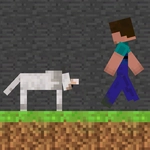
📝Steve and Wolf Overview
Grab a friend and settle the oldest rivalry: Steve sprints, Wolf hunts, and only one keyboard survives.
💬What is Steve and Wolf?
There's a special kind of chaos that only happens when two people crowd around one keyboard. Steve and Wolf leans all the way into that. You've got Steve, the guy trying not to become lunch, and Wolf, the predator who really wants lunch. Player 1 uses WASD to steer Steve. Player 2 gets the arrow keys for Wolf. That's it — no items, no power-ups, no mercy.
The first time I played, I had Steve pinned in a corner. My friend was closing in with Wolf, and I thought it was over. Then I flicked the A and S keys together, slipped through a gap I didn't know existed, and bolted across the map. My friend shouted 'what?!' and reset with R before I could even celebrate. That's the core loop: tight movements, split-second jukes, and the constant threat of being reset.
Since both players share the same keyboard, expect elbows, misclicks, and accusations. The controls are simple enough that anyone can jump in, but the positioning and prediction keep it tense. If you're the Wolf, don't just chase — cut off angles. If you're Steve, never run in straight lines. And if someone gets stuck in the geometry, tap R and try again. You'll lose a few minutes, then look up and realize an hour passed.
👥How to Play Steve and Wolf
Player 1: WASD to move, Player 2: Arrow keys to move
R to reset
✨Game Tips
- Learn the reset button early — R gets you unstuck in half a second when someone wedges into a wall.
- With two players on one keyboard, angle it so neither elbows the other out of their keys.
- As Steve, use sharp WASD taps to juke; as Wolf, predict where Steve will turn, not where he is.
- If the Wolf keeps losing, try circling instead of direct chasing — cut off escape routes.
- Reset positions before each round so the chase starts fair.
- Don't mash movement keys; short deliberate inputs keep you from overshooting corners.
🔧FAQ
Q: Is Steve and Wolf free to play?
A: Yes, it runs completely free in your browser.
Q: Can I play Steve and Wolf on mobile?
A: It's designed for keyboard, so a desktop or laptop with a physical keyboard works best.
Q: Do I need to download anything to play Steve and Wolf?
A: No downloads needed — just open the game page and start playing.
Q: How many players can play Steve and Wolf at once?
A: Exactly two players share one keyboard using different key sets.
Q: What are the controls in Steve and Wolf?
A: Player 1 uses WASD, Player 2 uses arrow keys, and R resets the game.
Q: Can I play Steve and Wolf by myself?
A: It's a local 2-player game, so you'll need a second person for the full experience.