
Stick Soccer 3D
Play Count0
Published2022-08-24
Supported DevicesPC
CategoryAction & Fighting
Rating★★★★★5.0Rate this game
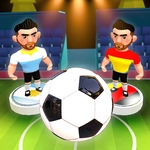
📝Stick Soccer 3D Overview
Line up your shot, curve the ball past a flailing stick keeper, and settle the score in one satisfying swipe.
💬What is Stick Soccer 3D?
There's a weird joy in flicking a stick figure's leg at a ball and watching it loop over a defender's head. Stick Soccer 3D turns a full 3D pitch into a quick-fire one-on-one or two-player duel where every shot is a physics argument. You click a player, drag back to set power and angle, release, and then it's just you, the keeper, and the net. The ball actually bends if you strike it right — I've scored from near the halfway line by curling it around a frozen goalie. That moment alone kept me replaying.
Matches move fast because there's no running around. Your whole team is static; you just pick the next guy with the ball when your turn comes. That means the game is about timing and placement, not button mashing. The 3D camera swings low behind the shooter, so it feels like a penalty shootout even when you're passing around midfield. Defense is mostly hoping the opponent misses, but you can nudge your keeper during their turn if you're quick.
Two-player mode is where this shines. Sit next to a friend, trade turns, and watch them rage as you chip in a last-second winner. There's no tackle button or player switching — it's stripped down to pure shot selection. For a free browser game, the stick figures animate with a surprising amount of character: they stumble, flail, and celebrate with arms raised. If you want a soccer game that respects your time, this is a solid pick.
👥How to Play Stick Soccer 3D
Use "LEFT-CLICK" on a player when your turn comes, and aim with your "MOUSE" and release to shoot.
✨Game Tips
Aim for the top corners — keepers rarely dive high in this game.
Drag slowly before release; a quick flick sends the ball skidding wide.
In 2-player mode, watch your opponent's cursor to predict where they'll shoot.
Curve shots by releasing off-center from the ball, not straight through it.
Don't rush your turn. The shot timer is generous, so set your angle carefully.
Use low driven shots when the keeper charges out early.
🔧FAQ
Q: Is Stick Soccer 3D free to play?
A: Yes, it runs free in your browser with no download or payment needed.
Q: Can I play Stick Soccer 3D on mobile?
A: The touch controls work on most phones and tablets, though a mouse gives finer aim.
Q: Do I need to download anything to play?
A: No, the game is HTML5 and loads directly on the site.
Q: How do I shoot in Stick Soccer 3D?
A: Click a player, drag back to set power and direction, then release to shoot.
Q: Does Stick Soccer 3D have a 2-player mode?
A: Yes, local 2-player lets you take turns on the same device.
Q: Is there a way to play against the computer?
A: Yes, single-player pits you against an AI opponent with simple turn-based shots.