
StickJump
Play Count0
Published2025-11-19
Supported DevicesPC + Mobile
CategoryFun & Crazy
Rating★★★★★5.0Rate this game
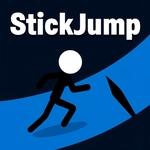
📝StickJump Overview
One stickman, a hallway of spikes, and two keys that decide everything—can you flip and dash your way past the next screen?
💬What is StickJump?
StickJump is the kind of game you open for thirty seconds and then realize you've been holding your breath for three minutes. Your stick guy runs left and right on a single line, and the only things you control are when he changes direction and when he surges forward. That sounds simple. It isn't. Spikes line the floor, walls drop in from nowhere, and the timing windows shrink until you're reading gaps a quarter-second before they close. I got stuck on one section where you have to dash through a rotating blade just as it ticks past vertical—hit it early and you clip the edge, hit it late and there's no floor left to land on.
The dash is the real trick. Holding S or the down arrow doesn't just speed you up; it commits you to a fixed distance, so you can't cancel mid-slide. That means every dash is a bet. Flip too soon after a dash and you'll drift into a pit. Change direction right as a block spawns and you'll bounce backward into a spike. The game never punishes you unfairly, though—every death leaves a ghost trail of where your last run ended, which is great for learning the pattern. There's no score multiplier or useless currency, just a clean line that gets longer the further you go. For a hypercasual title, it has the nerve of a much harder platformer, and I ended up restarting more than I'd like to admit just to shave one more section off my best run.
👥How to Play StickJump
- Use W/ up arrow to change direction.
- Hold S/ down arrow to dash.
✨Game Tips
Treat the dash as a commitment, not a dodge—know exactly where it ends before you hold S.
When a spike pattern repeats, count its beats out loud; your fingers sync to the rhythm faster than your eyes.
Flip direction only at the edges of the screen, not mid-platform, or you'll eat a wall you thought you'd cleared.
If a section feels impossible, watch your ghost trail from the last attempt—it shows exactly where your timing broke.
Keep your taps short on W; holding it too long can register a second flip you didn't want.
🔧FAQ
Q: Is StickJump free to play?
A: Yes, it's completely free in your browser with no paywalls or downloads.
Q: Can I play StickJump on my phone?
A: It works on mobile browsers, but the W/S controls are best with a physical keyboard.
Q: Do I need to download StickJump?
A: No downloads. It runs on HTML5, so any modern browser will load it instantly.
Q: What are the controls in StickJump?
A: Tap W or up arrow to change direction, hold S or down arrow to dash. That's the whole control scheme.
Q: Is StickJump unblocked at school?
A: This version is hosted as an unblocked game, so it typically bypasses school network filters.
Q: How difficult is StickJump?
A: It starts forgiving but ramps up quickly—expect to retry sections multiple times.