
Stickman Brothers Nether Parkour
Play Count0
Published2023-05-02
Supported DevicesPC + Mobile
CategoryAction & Fighting
Rating★★★★★5.0Rate this game
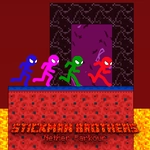
📝Stickman Brothers Nether Parkour Overview
Team up for lava-drenched parkour chaos as you switch between two stickmen, grab your colored boxes, and hit the exit door.
💬What is Stickman Brothers Nether Parkour?
Stickman Brothers Nether Parkour is the kind of co-op platformer that starts simple and gets cruel fast. You're not just jumping—you're managing two stickmen at once, or splitting duties with a partner. The Nether theme means lava, dark stone, and precision jumps that punish sloppy button mashing. The hook is the box system: each stickman has their own color, and you can only collect your own crates before reaching the door. Miss one and you're replaying the level.
What got me was the group switching. On desktop, one player handles WASD for the first stickman and the arrow keys control the second. A button switches active groups, which sounds easy until a red box sits on a platform only the blue stickman can reach. You'll pass the keyboard back and forth or, if you're solo, juggle both hands like a deranged pianist. Mobile touch buttons make it playable on a phone, but I won't pretend it's easier—thumb gymnastics are real. The moment both doors slide open after a perfectly timed switch is genuinely satisfying.
One specific run: I hopped a lava gap as the blue stickman, switched mid-jump to catch the red box on the far ledge, then had to immediately switch back before blue fell into the void. That kind of sequencing is what Nether Parkour lives on. If you've got a friend, play it together. If you're alone, good luck.
👥How to Play Stickman Brothers Nether Parkour
4 players are played in 2 groups. Use WASD + Arrow keys to play players. Use the button in the game to activate group transitions. Each player can collect the box of his own color, collect the boxes and reach the door. mobile play is available.
✨Game Tips
Memorize which color boxes belong to which stickman before moving; grabbing the wrong box wastes a run.
Use the group switch button mid-air to extend your jump reach—especially over lava gaps.
On desktop, keep one hand on WASD and one on arrows, but decide who leads before the level starts.
Clear the lower platforms first, then worry about high boxes; the door won't open until all boxes are gone.
If playing solo, practice switching during short hops instead of after landing to keep momentum.
On mobile, tap the switch button with your non-dominant thumb so you don't lose movement control.
🔧FAQ
Q: Is Stickman Brothers Nether Parkour free?
A: Yes, it's completely free to play in your browser with no hidden paywalls.
Q: Can I play Stickman Brothers Nether Parkour on mobile?
A: Yes, the game has touch controls for phones and tablets, though a bigger screen helps.
Q: Do I need to download anything to play?
A: No downloads needed. It runs directly in your web browser as an HTML5 game.
Q: How many players can join Stickman Brothers Nether Parkour?
A: It supports up to 4 players split into 2 groups, or you can control all stickmen solo.
Q: What are the controls for Stickman Brothers Nether Parkour on desktop?
A: Player 1 uses WASD, Player 2 uses arrow keys, and a button switches active groups.
Q: Can I play Stickman Brothers Nether Parkour solo?
A: Yes, you can control both stickmen yourself by switching groups, though co-op is more forgiving.