
Stickman Crash
Play Count0
Published2020-02-24
Supported DevicesPC
CategoryAction & Fighting
Rating★★★★★5.0Rate this game
📝Stickman Crash Overview
Click the screen, launch your stickman like a ragdoll missile, and see how many bones you can break before the timer runs out.
💬What is Stickman Crash?
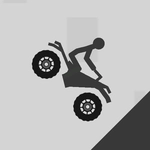
Stickman Crash is basically a physics toy dressed up as a game. You've got a lone stick figure on screen, a mouse cursor, and a whole lot of ways to send that guy tumbling. Click to slam him into the floor, fling him sideways into a wall, or just juggle him in the air as long as you can. The whole point is chaos — the more violent the crash, the higher your score climbs. I didn't expect much when I first loaded it up, but there's something weirdly satisfying about watching a simplified stick body twist into positions no human spine should ever manage.
The controls couldn't be simpler: move the mouse, click to apply force. That's it. But timing matters. A quick tap gives you a little nudge; a full swipe sends him rocketing across the screen. You'll start to learn which surfaces cause the biggest damage — the floor hurts, but the corners are brutal. The sound design helps a lot too. Each impact lands with a satisfying thud, and when you nail a really good hit, there's a crack that makes you wince a little. I kept going back just to see if I could beat my previous high score by bouncing him off three walls before he stopped moving.
It's not a long game by any stretch. You'll probably see everything it has to offer in a single sitting. But for quick breaks between classes or while waiting for something to load, Stickman Crash is exactly the right amount of dumb fun. No complicated stats, no story, no upgrades. Just you, a ragdoll stickman, and the mouse button. If you're looking for depth, go play an RPG. If you want five minutes of pure, unapologetic crash testing, this one does the job.
👥How to Play Stickman Crash
• Use mouse to play
✨Game Tips
• Use the edges and corners of the level for maximum damage — they multiply your score fast.
• Don't just click rapidly; pause half a second between hits to keep the stickman from glitching through walls.
• A long, fast mouse swipe right before clicking gives you way more launch power.
• Try to catch him mid-air for a second slam; it extends the combo and racks up points.
• If he gets stuck under the floor or off-screen, wiggle the mouse quickly to reset his position.
• Keep an eye on the timer, but ignore it once you get a good ragdoll chain going — combos matter more.
🔧FAQ
Q: Is Stickman Crash free?
A: Yes, it's a free browser game. No subscription or payment needed.
Q: Can I play Stickman Crash on mobile?
A: Yes, the HTML5 version works on most mobile browsers, but a mouse gives better control.
Q: Do I need to download anything?
A: No downloads needed. Just open the page and click to play instantly.
Q: Does Stickman Crash have a two-player mode?
A: No, it's a single-player experience. You only control one stickman.
Q: What are the controls for Stickman Crash?
A: Move the mouse to aim and click to launch or slam the stickman.
Q: Why does my stickman sometimes disappear off-screen?
A: That can happen with a high-speed hit. Wiggle the mouse or refresh to reset him.