
Stickman Sniper: Tap To Kill
Play Count0
Published2022-06-03
Supported DevicesPC + Mobile
CategoryShooting
Rating★★★★★5.0Rate this game
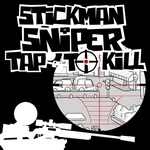
📝Stickman Sniper: Tap To Kill Overview
One wrong twitch and you'll miss the mark — line up the crosshair, steady your hand, and drop every stickman target before they slip away.
💬What is Stickman Sniper: Tap To Kill?
Stickman Sniper: Tap To Kill dumps you straight into a stripped-down shooting gallery with exactly one job: read the assignment, spot the right stickman, and put a round through him before the mission goes sideways. It sounds ridiculously simple. It's not. Targets are small, often moving, sometimes partially hidden, and your own shaky trigger finger will absolutely betray you if you rush the shot.
The controls feel different depending on where you play. On desktop, right-click brings up the scope and left-click fires. On a phone or tablet, you get a dedicated crosshair button that handles both aiming and shooting, which takes about five seconds to get used to but works surprisingly well once you stop fat-fingering it. I lost count of how many times I lined up a perfect headshot only to jerk the mouse at the last instant. Reload timing and target patience matter way more than raw speed here.
What keeps me coming back is the pressure between speed and precision. Each assignment gives you a clear target description — sometimes a specific color, sometimes a pose, occasionally a moving silhouette that walks behind crates. You can't just spray every stickman on screen; you have to read, identify, then act. There's one particular level where the target strides between two barriers and you have to time the shot between footsteps, and landing that first clean hit after three painful misses felt genuinely earned. The clean stickman aesthetic means nothing distracts from the shot itself. If you want a quick sniper fix without downloads or sign-ups, this one scratches that itch.
👥How to Play Stickman Sniper: Tap To Kill
Read your assignment, find your targets, then shoot accurately.
On mobile devices use the crosshair button to aim and shoot. On desktop, right-click to aim, left click to shoot.
✨Game Tips
Right-click first to aim, then left-click to fire — don't try to do both at once.
On mobile, tap the crosshair button once to aim and again to shoot, but keep your finger steady.
Watch the target's movement pattern for a second before shooting; most stickmen pause briefly.
Aim for the head or upper chest if you want clean one-hit kills instead of leaving them wounded.
If the target is behind cover, wait for the moment it steps out rather than wasting ammo.
Let the scope settle after reloading before you take the next shot.
🔧FAQ
Q: Is Stickman Sniper: Tap To Kill free?
A: Yes, it's completely free to play right in your browser.
Q: Can I play Stickman Sniper: Tap To Kill on mobile?
A: Yes, the game supports touch controls with a dedicated crosshair button.
Q: Do I need to download anything to play?
A: No download required; it runs directly in your web browser as HTML5.
Q: What are the controls on desktop?
A: Right-click to aim, then left-click to shoot your target.
Q: How do I aim and shoot on a phone or tablet?
A: Tap the crosshair button to aim, then tap again to fire.
Q: Does Stickman Sniper: Tap To Kill need an internet connection?
A: You need an active connection to load the game, but it plays smoothly once loaded.