
Stickman Steve vs Alex - Nether
Play Count0
Published2022-11-16
Supported DevicesPC + Mobile
CategoryAction & Fighting
Rating★★★★★5.0Rate this game
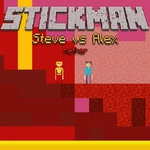
📝Stickman Steve vs Alex - Nether Overview
Grab a friend and settle the score in the Nether, where Steve and Alex trade pixelated punches across a lava-scorched arena.
💬What is Stickman Steve vs Alex - Nether?
The first thing you'll notice is how twitchy the movement feels—WASD and arrow keys respond instantly, and the double jump adds a layer of fake-outs that keeps every round unpredictable. Steve and Alex are basically identical in stats, so wins come down to spacing and reading your opponent. The Nether backdrop isn't just decoration either; those lava pools can end a stock if you're careless, and the floating platforms encourage aggressive aerial play.
I spent a few rounds just testing the double jump, trying to bait my friend into whiffing a punch. The hitboxes feel generous but not cheap—you'll land hits that feel earned. What I appreciate is that the game doesn't overcomplicate things. No special meters, no blocking, just jump, punch, and move. It's the kind of game you can pick up between classes and instantly understand, but the local multiplayer trash talk factor keeps it alive.
Mobile touch controls work surprisingly well, but this is best played on a keyboard with someone sitting next to you. The Nether theme gives it a darker, more chaotic energy than typical stickman fighters. If you're after a quick, zero-download 1v1 with a friend, this is the one to load up. Expect to lose a few rounds to the lava before you learn the platforms.
👥How to Play Stickman Steve vs Alex - Nether
*Move to WASD + Arrow Keys
*Double Jump available
*Mobile Touch Control
✨Game Tips
• Use the double jump to dodge predictable punches, then land behind your opponent for a free hit.
• Stay off the lower lava pools unless you're baiting someone into a bad jump.
• On mobile, tap the left side to move and right side to jump—don't overlap your thumbs.
• If your opponent spams attacks, jump over them and punish the recovery.
• Keep one finger near the jump key at all times; the double jump is your best escape tool.
🔧FAQ
Q: Is Stickman Steve vs Alex - Nether free?
A: Yes, it's completely free to play in your browser with no hidden costs.
Q: Can I play Stickman Steve vs Alex - Nether on mobile?
A: Yes, the game includes touch controls for both players on the same screen, though a keyboard is recommended.
Q: Do I need to download anything to play?
A: No downloads or installs are required. Just open the page and start fighting.
Q: Is this game only for two players?
A: It's designed for local 1v1 play. Player 1 uses WASD, Player 2 uses arrow keys; there is no single-player AI mode.
Q: What are the controls for Stickman Steve vs Alex - Nether?
A: Player 1 moves with WASD, Player 2 uses arrow keys. Both players can double jump using the up/W key or on-screen touch buttons.
Q: Can I play this game with a gamepad?
A: The web version mainly supports keyboard and touch input. Most gamepads won't map correctly without extra software.