
Stunts Car Speed Trial
Play Count0
Published2021-02-15
Supported DevicesPC
CategoryDriving & Racing
Rating★★★★★5.0Rate this game
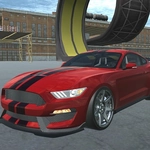
📝Stunts Car Speed Trial Overview
Hammer the nitro at the top of the ramp and pray the landing doesn't snap your axle — Stunts Car Speed Trial rewards full-send driving.
💬What is Stunts Car Speed Trial?
I've binned this car into the barrier more times than I care to admit. Stunts Car Speed Trial isn't a sim; it's an arcade playground where the only goal is to go flat-out off every ramp you can find and land however physics allows. The controls are simple — WASD to steer, Space to brake, F to dump nitro, and C to swing the camera — but the real skill is knowing when to back off. Too much speed into a jump and you'll overshoot the landing zone; too little and you'll clip the edge and cartwheel into the wall.
The nitro button is the heart of it. Hold F and the engine note climbs, the screen shakes a little, and suddenly a flat stretch of road becomes a launch pad. I kept losing a particular trial because I'd hit the ramp at full nitro, rotate 540 degrees in the air, and land nose-first on the concrete. The camera button saved me — tap C mid-air to swing the view around and actually see where the tires are pointing. It's not just a gimmick; knowing your car's rotation before touchdown is the difference between a clean run and a restart.
There's no career mode or deep customization here, and that's fine. This is a game you open for ten frantic minutes. Each trial gives you a target time or a stunt goal, and you'll chase it because the failures are funny and the successes feel earned. It runs in any modern browser, no download, and works fine with just a keyboard. If you like low-poly arcade driving with generous physics and zero hand-holding, this will scratch that itch.
👥How to Play Stunts Car Speed Trial
wasd - drive
f - nitro
tab - menu
space - brake
c - camera
✨Game Tips
Tap F in short bursts instead of holding it — full nitro off a ramp often sends you into a spin you can't recover from.
Use C mid-air to rotate the camera behind the car; it's easier to line up your landing when you can see all four wheels.
Brake early before a sharp turn, not during it; Space locks the wheels and you'll just understeer into the barrier.
Watch the trial timer — sometimes a slower, cleaner landing beats a spectacular crash that costs you five seconds.
If you're overshooting a landing, tap Space just before impact to nudge the nose down; it won't brace, but it can stop a bounce.
🔧FAQ
Q: Is Stunts Car Speed Trial free to play?
A: Yes, it's completely free. No paywalls or hidden fees — just open the browser and drive.
Q: Can I play Stunts Car Speed Trial on my phone?
A: It's designed for keyboard, but some mobile browsers can run it. A physical keyboard or PC is recommended for nitro control.
Q: Do I need to download or install anything?
A: No. It runs in any modern browser using HTML5, so you can play instantly without downloads.
Q: What are the controls for Stunts Car Speed Trial?
A: WASD or arrow keys to drive, Space to brake, F for nitro, C to change camera, Tab for menu.
Q: Does Stunts Car Speed Trial save my progress?
A: Browser storage may remember your best times, but clearing cache resets it. It's arcade-style, so progress isn't deep.
Q: Can I change the camera angle?
A: Press C to cycle through camera views. Some angles are better for speed, others for landing stunts.