
Styledoll! - 3D Avatar maker
Play Count0
Published2021-03-17
Supported DevicesPC
CategoryArcade & Classic
Rating★★★★★5.0Rate this game
📝Styledoll! - 3D Avatar maker Overview
Spin a blank mannequin into a full-on style icon with this surprisingly detailed 3D dress-up toy.
💬What is Styledoll! - 3D Avatar maker?
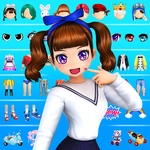
I wasn't expecting much when I clicked on Styledoll, honestly. Most browser dress-up games feel like static paper dolls with a few shirts pasted on. This one actually surprised me. You get a 3D avatar that you can rotate left and right, which makes a huge difference when you're trying to see if that jacket actually looks good from the side or if the hair clips through the collar. The loading is quick, and the controls are just drag and click — nothing complicated.
The item selection is deeper than it looks. There are tons of fashion pieces, but the real fun is mixing totally different styles. I spent way too long putting a punk jacket over a floral dress and then adding neon sneakers. The save feature is actually useful; I kept hitting it every time I made something I liked. Social sharing works too, so if your friends care about your digital fashion sense, you can show them.
One thing that bugged me: the rotation isn't a full 360 free spin. You can turn left and right in steps, but you can't tilt up or down. So sometimes you can't quite see how a hat sits from above. Minor gripe, but it's still way better than flat 2D dress-ups. If you like character customization or just want a chill five-minute break, this one hits the spot. It's simple, but it knows what it is.
👥How to Play Styledoll! - 3D Avatar maker
3. Turn your 3D Avatar left and right to view from various angles!
4. Save your dressed up Avatar to look at it again at any time!
5. Share your beautiful and cool Avatar with your friends!
6. Create your character out of fashion items and
✨Game Tips
Save your favorite looks often so you can come back and tweak them later.
Rotate the avatar before adding headwear — hats often look different from the side.
Mix styles on purpose; the game doesn't lock you into one aesthetic.
Use the share button only after you've saved, or you might lose your current outfit.
Click around the background too; some UI elements hide extra color options.
🔧FAQ
Q: Is Styledoll! - 3D Avatar maker free to play?
A: Yes, it's completely free in your browser with no hidden charges.
Q: Do I need to download anything?
A: No download needed. It runs instantly as an HTML5 game on any modern browser.
Q: Can I play Styledoll on my phone?
A: Yes, the touch controls work on mobile devices and tablets.
Q: Does this game need an internet connection?
A: Yes, since it's a browser game, you need an active internet connection to load it.
Q: Can I save my avatar and come back later?
A: Yes, there's a save button that stores your avatar so you can view it again anytime.
Q: Is Styledoll suitable for kids?
A: Absolutely, the content is family-friendly with no violence or inappropriate themes.