
Suburbs Zombie Driving
Play Count0
Published2023-07-10
Supported DevicesPC
CategoryArcade & Classic
Rating★★★★★5.0Rate this game
📝Suburbs Zombie Driving Overview
Your engine's the only thing louder than the moans in this zombie-filled suburb—keep it running or become lunch.
💬What is Suburbs Zombie Driving?
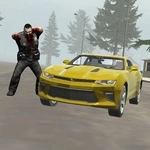
The first thing you notice is how ordinary the streets look—mailboxes, picket fences, sedans parked in driveways. Then you notice the neighbors. They're not waving. They're shuffling toward your car with that hungry look. Suburbs Zombie Driving drops you into a picture-perfect American suburb that's gone completely to hell, and your only real advantage is that you still have a working ignition. The controls are simple: WASD to drive, space to brake, C to switch camera angles. It sounds easy until a crowd of zombies spills out from behind a school bus and you're doing a three-point turn while decaying hands slap against your rear windshield.
What got me hooked is how much the camera matters. Third-person chase cam feels cinematic, but the hood cam makes every near-miss feel personal. I once swapped to the hood view while barreling down Maple Street, only to realize a zombie was lying in the road. I didn't have time to brake, so I just gritted my teeth and felt the thump. The car handles with a weighty, arcade-style feel—powerslides are easy to start and hard to finish, which means every turn is a gamble. There's no shooting, no crafting, no complex objectives. Just you, a car, and a suburb that wants you dead. Keep rolling, don't get cornered, and see how long you last. It's the kind of game you fire up for five minutes and suddenly an hour's gone.
👥How to Play Suburbs Zombie Driving
WASD - Drive. Space - Brake. C - Change camera mode.
✨Game Tips
Use the handbrake (space) to whip around tight corners—zombies can't grab a moving bumper.
Switch to hood cam with C when roads get narrow; it gives you better depth perception for squeezing between wrecks.
Never stop in a cul-de-sac. Always leave yourself an exit path, even if it means driving over a lawn.
Zombies are slower than you, but they come from all sides—keep your speed above 30 to break through groups.
The default chase cam is great for situational awareness, especially when reversing out of a horde.
🔧FAQ
Q: Is Suburbs Zombie Driving free?
A: Yes, it's completely free to play in your browser with no paywalls or sign-ups.
Q: Can I play Suburbs Zombie Driving on mobile?
A: It works on desktop browsers with keyboard controls. Mobile support is limited due to the WASD layout.
Q: Do I need to download anything?
A: No download needed; just load the page and start driving. It runs on HTML5.
Q: What are the controls?
A: Use WASD to drive, Space to brake, and C to switch camera views.
Q: Is there a multiplayer mode?
A: No, it's a single-player survival driving challenge.
Q: How do I switch camera angles?
A: Press C to cycle through camera angles, including chase cam and hood view.