
Subway Surfers Word Blocks
Play Count0
Published2022-10-27
Supported DevicesPC + Mobile
CategoryPuzzle & Thinking
Rating★★★★★5.0Rate this game
📝Subway Surfers Word Blocks Overview
Spot the hidden word, drag your finger across the letters, and rack up points before the round ends—simple, snappy, and weirdly addictive.
💬What is Subway Surfers Word Blocks?
I wasn't expecting a Subway Surfers spin on a word puzzle, but honestly, it works. The board is a jumble of letters, and somewhere in that mess are the words you need to find. You press down on the first letter, drag through the word in a straight line—horizontal, vertical, diagonal—and let go on the last letter. If it's right, the letters pop and the word gets checked off. If it's not, you just try again. No penalty, no drama.
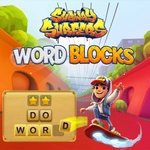
The Subway Surfers part is mostly the look: bright graffiti colors, that familiar street-art energy, and the kind of upbeat vibe that makes you feel like you're tagging trains instead of doing homework. It doesn't change the core loop much, but it makes the whole thing feel lighter. I kept catching myself playing 'just one more round' because the words are short and the board resets fast. Some rounds will throw a longer word at you and suddenly you're squinting at every diagonal. On a touchscreen you'll drag with your finger; on a computer you click, hold, and drag with the mouse. Both feel fine, though fat-finger mistakes are real on small phones.
Difficulty spikes are gentle—early rounds are almost too easy, then they sneak in words that overlap and letters that look identical at a glance. There's no timer countdown screaming at you (at least on the levels I played), so you can actually think. That's rare in a hypercasual game. If you want a chill brain break that looks like a mobile runner but plays like a word search, this is a solid pick. Just don't expect to do any actual running.
👥How to Play Subway Surfers Word Blocks
You need only to click and hold on the first letter of the word, then drag it until you reach the last letter.
✨Game Tips
Start with the word list and scan for uncommon letters like Q, X, or Z—they stand out fast.
Drag in a straight line only; diagonal words count, but curving through letters won't register.
If a word has double letters, don't lift your finger after the first one—keep dragging through both.
Use the edges of the grid to spot horizontal and vertical words quickly; diagonal ones hide in the middle.
Don't guess randomly; every wrong drag is fine, but scanning the full board saves time.
On mobile, zoom in if the letters feel too small; fat-finger drags can break your streak.
🔧FAQ
Q: Is Subway Surfers Word Blocks free to play?
A: Yes, it's free to play in your browser with no download required.
Q: Can I play Subway Surfers Word Blocks on my phone?
A: Yes, it works on mobile browsers. Just tap and drag with your finger.
Q: Do I need to download anything to play?
A: No, it runs directly in your browser as an HTML5 game.
Q: What are the controls?
A: Click or tap the first letter, hold, drag to the last letter, then release.
Q: Does Subway Surfers Word Blocks have levels or endless mode?
A: It's a casual word puzzle with different boards; you keep finding words as rounds reset.
Q: Is this game suitable for kids?
A: Yes, it's non-violent and helps with word recognition, but some words may be challenging for younger players.