
Super Heroes Finger
Play Count0
Published2021-03-22
Supported DevicesPC
CategoryAction & Fighting
Rating★★★★★5.0Rate this game
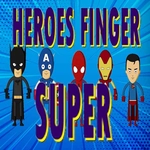
📝Super Heroes Finger Overview
Slap a cape on your pointer finger and start throwing haymakers at everything that moves in this ridiculous one-on-one brawler.
💬What is Super Heroes Finger?
I wasn't sure what to expect from a game called Super Heroes Finger. Turns out it's exactly what it says on the tin: you're a disembodied finger dressed up like a superhero, and you fight other fingers. The controls are refreshingly straightforward—mouse aims or triggers attacks, the keyboard handles movement or specials depending on the layout—but it's the slapstick timing that got me. You'll dodge a punch by a pixel, then land a counter that sends your opponent ragdolling across the screen. There's a weird satisfaction in watching a thumb in a Batman cowl go flying.
The visuals lean heavily into cartoon-ish, deliberately low-stakes chaos. No blood, no gore, just squishy impacts and goofy sound effects. That makes it perfect when you want a fight without the edge. I kept coming back for the quick rounds—each match is short enough that "one more go" turns into six. The difficulty ramps up in a way that feels fair until it doesn't (that one boss finger with the laser eyes can absolutely do one).
If you're on a laptop with a touchpad, good luck—you'll want an actual mouse. The hit detection is tighter than it looks, so spamming clicks gets you punished. Short version: it's dumb, it's fun, and it's way better than your last Zoom meeting. Play it when you need five minutes of pure finger-based justice.
👥How to Play Super Heroes Finger
Use Mouse To Play and Keyboard
✨Game Tips
- Time your counters instead of mashing the mouse; late clicks leave you wide open.
- Watch the enemy finger's wind-up animation—it telegraphs heavy attacks every time.
- Use keyboard dodges right before impact, not constantly, or you'll corner yourself.
- Focus down weaker fingers first in group fights to thin the crowd.
- Rebind keys if you can; default layout isn't great for left-handers.
- Save your special move for when your opponent is mid-combo to interrupt them.
🔧FAQ
Q: Is Super Heroes Finger free to play?
A: Yes, it's completely free in your browser; no paywalls or hidden fees.
Q: Can I play Super Heroes Finger on mobile?
A: It works on mobile browsers, but a mouse and keyboard give far better control.
Q: Do I need to download anything to play Super Heroes Finger?
A: No downloads. It runs in any modern browser with HTML5 support.
Q: What are the controls for Super Heroes Finger?
A: Use the mouse to aim and attack, plus keyboard keys for movement and special moves.
Q: Does Super Heroes Finger have multiplayer?
A: It's primarily single-player, so you'll fight AI fingers rather than real opponents.
Q: Can I play Super Heroes Finger at school?
A: Yes, it's unblocked and works on school-friendly sites without extra setup.