
Supercar Parking Simulator
Play Count0
Published2022-02-09
Supported DevicesPC
CategoryDriving & Racing
Rating★★★★★5.0Rate this game
📝Supercar Parking Simulator Overview
Slide a screaming supercar into a tight parking bay without leaving paint on the curb—and do it before the engine stalls.
💬What is Supercar Parking Simulator?
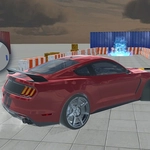
I've played a lot of driving games, but parking simulators hit different because there's no timer screaming at you—just the slow creep of a front bumper toward a concrete pillar. Supercar Parking Simulator drops you behind the wheel of a seriously low, seriously fast machine and asks you to do the one thing most drivers dread: reverse into a space without scratching anything.
The controls are simple in theory: WASD to drive, S to brake, space for handbrake, B to look back, F for NOS. But the physics are unforgiving. You'll oversteer on a handbrake turn, clip the curb, and have to restart the level. I kept coming back because each parking job feels like a puzzle—you learn how much throttle is too much, when to tap the brake, and how to use NOS to pivot the rear end just right. The camera with B is crucial; you can't park blind.
The game isn't just about parallel parking. There are angle spots, reverse bays, and some tight garages. The cars look fantastic—glossy paint, reflective windows—and the engine sound is satisfyingly deep. It's free, runs in a browser, and has that 'one more try' loop. If you're a fan of precise driving or just want to feel like a valet with a million-dollar car, this one's worth a spin.
👥How to Play Supercar Parking Simulator
"wasd" = drive
"s" = brake
"b" = show back
"f" = nos
"space" = handbrake
"tab" = menu
✨Game Tips
Tap the handbrake instead of holding it—tap too long and you'll spin out.
Use B to look back constantly, especially when reversing into a tight bay.
A quick F boost can straighten your car after an oversteer; just be ready to brake.
Approach at a low speed first attempt, then increase once you learn the car's turning circle.
Don't reset immediately after a small bump—sometimes you can reverse out and save the run.
🔧FAQ
Q: Is Supercar Parking Simulator free to play?
A: Yes, it's completely free in your browser with no payment required.
Q: Can I play Supercar Parking Simulator on mobile?
A: The game works on mobile browsers, but keyboard controls are best on desktop.
Q: Do I need to download anything to play Supercar Parking Simulator?
A: No downloads needed—just open the game page and start driving.
Q: What does the NOS button do in Supercar Parking Simulator?
A: F gives a quick nitrous boost that can help swing the car or correct a parking angle.
Q: How do I see behind the car in Supercar Parking Simulator?
A: Press B to switch to a rear view; essential for reversing into tight spaces.
Q: Is there a way to reset a failed parking attempt?
A: The game restarts the level automatically if you hit obstacles too hard, or press Tab for menu.