
Symmetry Challenge
Play Count0
Published2020-11-06
Supported DevicesPC
CategoryPuzzle & Thinking
Rating★★★★★5.0Rate this game
📝Symmetry Challenge Overview
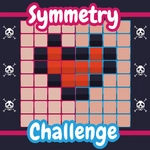
One side's already painted. Fill the other half so the grid mirrors perfectly—before your eyes start playing tricks on you.
💬What is Symmetry Challenge?
You know that feeling when a pattern looks simple until you have to recreate it from memory? Symmetry Challenge nails that exact frustration and then makes you love it. You get a grid, half of it already colored, and your job is to click the empty cells on the opposite side to make a perfect mirror image. Sounds easy. Then the grid grows from 5x5 to 7x7, the colors multiply, and suddenly you're second-guessing whether that blue square was two cells left of center or three.
I kept messing up on the later levels because I'd rush. There's a moment—usually around level 8—where you realize counting from the center line is way more reliable than eyeballing the whole shape. You start breaking the pattern into quadrants, checking symmetry axis by axis. The game gives you a brief flash of the full pattern before it wipes clean, so your short-term memory gets a workout too. If you tap a wrong cell, sometimes it just ignores you, other times it resets the whole side, which is brutal but fair—it forces you to slow down and actually look.
What I like most is that there's no timer pressure. It's just you, the grid, and your own patience. It feels like a digital version of those old mirror drawing puzzles, but with colors and a cleaner interface. The difficulty curve is smooth, and the satisfaction of nailing a perfect mirror on the first try is real. If you're into brain teasers that don't require reading a manual, this one hits the spot.
👥How to Play Symmetry Challenge
Click or tap to interact, match the pattern to complete each level.
✨Game Tips
Start from the center line and work outward—anchoring the middle makes the rest fall into place.
Count the colored cells on the original side before you start tapping, then recount after.
Break the grid into quadrants mentally; mirror one chunk at a time instead of the whole board.
If you misplace a cell, don't spam taps—some versions reset the side on a wrong move.
Use the pattern preview flash to assign one color at a time, ignoring the others temporarily.
🔧FAQ
Q: Is Symmetry Challenge free to play?
A: Yes, it's completely free with no paywall or premium features.
Q: Can I play Symmetry Challenge on my phone?
A: Absolutely—the game works in any mobile browser with touch controls.
Q: Do I need to download or install anything?
A: No download needed. Just open the page and start playing instantly.
Q: Does Symmetry Challenge have ads?
A: There may be occasional ads, but they don't interrupt gameplay mid-level.
Q: How do I restart a level if I mess up?
A: Look for a restart button or refresh the page—most levels reset automatically after a wrong answer.
Q: What if the game doesn't load on my school network?
A: Try refreshing or using a different browser. Since it's HTML5, it runs on any modern device.