
Table Pong
Play Count0
Published2023-08-11
Supported DevicesPC + Mobile
CategoryAction & Fighting
Rating★★★★★5.0Rate this game
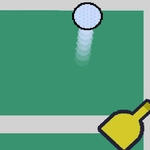
📝Table Pong Overview
Grab a friend and go head-to-head in this fast, pixel-perfect take on classic Pong — first to 7 wins, no mercy.
💬What is Table Pong?
There's something stupidly satisfying about a game that needs zero tutorial. Table Pong drops you straight into a mirrored arena with two paddles and a ball that just won't stop. You control one paddle with the arrow keys or W-A-S-D; the other side is your friend on the same keyboard, or the touch arrows if you're on mobile. The rules are ancient: don't let the ball touch your back wall. But the feel here is sharper than the old arcade cabinet — the ball gains a little speed every time it ricochets, so rallies start as friendly volleys and end as twitchy, panicked scrambles.
That's where it clicked for me. You can't just stand still and react; you have to predict where the ball will be two bounces ahead. Angle your paddle while moving and you'll send the ball into a nasty diagonal that hugs the wall. Do it twice in a row and your opponent is already cursing. First to seven points wins, which is just long enough for one of you to say 'rematch' about six times. The pixel-art visual is clean without being boring, and the hit sound might as well be bubble wrap.
The mobile arrow buttons are surprisingly responsive, though nothing beats two people hunched over one keyboard. If you're solo, the AI is fine but a bit predictable — it's really built for trash-talking your sibling across the couch. Either way, it loads instantly and doesn't waste your time. Which means you'll waste plenty of your own.
👥How to Play Table Pong
Keyboard:
Up arrow key, Down arrow key, Left arrow key, Right arrow key,
W, A, S, D
Mobile:
Arrow keys that appear on the screen
✨Game Tips
Aim your paddle's edge to send the ball at sharp angles — straight returns are easy to counter.
Move before the ball arrives; stopping dead center is asking to lose a corner shot.
On keyboard, W and Up do the same thing, so pick one side and don't look at the other keys.
Speed makes everything harder, so use early slow points to figure out your opponent's weak side.
If you're on mobile, slide your thumb instead of tapping—the arrows respond better to continuous drags.
🔧FAQ
Q: Is Table Pong free to play?
A: Yes, it's completely free. No accounts or hidden payments needed.
Q: Can I play Table Pong on my phone?
A: Yes, the game shows touch arrow controls on mobile so you can slide to move your paddle.
Q: Do I need to download anything to play Table Pong?
A: No download required. It runs in any modern browser as HTML5.
Q: Can two people play on one keyboard?
A: Absolutely. One player uses arrow keys, the other uses W, A, S, D on the same keyboard.
Q: What's the first thing I should focus on in Table Pong?
A: Learn how hitting the ball with the edge of your paddle changes its angle.
Q: Is Table Pong unblocked for school or work?
A: Usually yes, since it's a browser game with no install. But network filters can vary.