
Table Pong 2D
Play Count0
Published2024-10-08
Supported DevicesPC + Mobile
CategoryArcade & Classic
Rating★★★★★5.0Rate this game
📝Table Pong 2D Overview
Can you master the clean angles and lightning returns of a pixel-perfect table tennis rally?
💬What is Table Pong 2D?
Table Pong 2D is a stripped-down, no-nonsense take on classic pong that feels more like a table tennis drill than a retro arcade throwback. You control a paddle on the left side of the screen, sliding it up and down with the arrow keys. The ball comes at you with that signature pong bounce — predictable until it isn't. What got me was how the tiniest adjustment in paddle position sends the ball careening off at a completely different angle. There's no spin mechanic, no power-ups, just you, the ball, and the edge of the table. That simplicity is deceptive. After three or four volleys you start to feel the rhythm, and then you try to place the ball just inside the opponent's corner and it clips the top edge instead. I kept coming back to nail that angle.
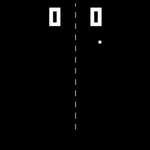
Visually it's bare bones in the best way — a dark background, a glowing white line for the table, and a ball that flickers as it moves. No clutter, no distractions. The AI opponent is decent but has tiny, exploitable pauses when the ball travels at a steep diagonal. I found myself baiting it upward with a soft return, then smashing a low fast shot to the opposite corner. It's the kind of game you open for a two-minute break and then realize twenty minutes have gone by.
If you grew up on the original pong or just want something that tests your reflexes without a ten-page tutorial, this scratches that itch. It's not going to wow you with graphics or story, but the core loop — read the ball, adjust, return, repeat — is honest and satisfying. Just don't blame me when your wrist starts aching from those micro-adjustments.
👥How to Play Table Pong 2D
Up and Down Arrow
✨Game Tips
Keep your paddle slightly forward from center when defending — it gives you more time to react to steep angled shots.
Try hitting the ball with the very top or bottom edge of your paddle to produce sharper return angles.
Don't chase the ball; watch its horizontal speed and move your paddle to intercept early, not at the last second.
The AI struggles with low, fast returns that hug the table line — aim there after a soft high bounce.
Reset your paddle to the middle after every return unless you're intentionally setting up an edge shot.
Play in short bursts; the repetitive motion can tire your arm and make your reactions sloppy.
🔧FAQ
Q: Is Table Pong 2D free to play?
A: Yes, it's completely free in your browser with no hidden payments.
Q: Can I play Table Pong 2D on mobile?
A: It works on mobile browsers, but arrow keys are best suited for desktop or a connected keyboard.
Q: Do I need to download anything to play Table Pong 2D?
A: No downloads or installs needed — just open the page and start playing.
Q: What are the controls for Table Pong 2D?
A: Use the Up and Down arrow keys to move your paddle on the left side.
Q: Is Table Pong 2D a multiplayer game?
A: No, it's single-player against an AI opponent.
Q: Does Table Pong 2D save my high score?
A: The game doesn't save scores, but you can track your longest rally manually if you like.