
Tactical Squad
Play Count0
Published2021-10-14
Supported DevicesPC + Mobile
CategoryAction & Fighting
Rating★★★★★5.0Rate this game
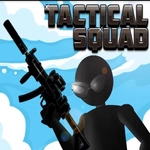
📝Tactical Squad Overview
Drag your aim, tap to fire, and keep your head when the bullets start flying — that’s the whole job in Tactical Squad.
💬What is Tactical Squad?
You won't find a mess of menus or upgrade trees here. Tactical Squad drops you straight into a hostile zone with one job: drag the crosshair to aim and click or tap the red button to fire. The controls sound too easy, but the enemies don't give you time to breathe. I kept losing on the early waves because I'd overcommit to one target, then eat a burst from the side. Once I started sweeping my aim in short arcs instead of flicking to each enemy, survival got a lot more realistic.
The real skill is reading the room. Some hostiles advance straight at you, others stall behind cover and force you to pre-aim corners. There's a particular moment when a shotgunner rounds a doorway while a rifleman pins you from the back — that's when you realize this isn't just click fast, it's about target priority. I found that tapping fire in twos or threes kept my crosshair steadier than holding the button, especially on a laptop trackpad where every millisecond counts.
On a phone, the red shoot button is large enough to find without looking, which helps when a sudden flanker appears. The game doesn't hold your hand, but it's fair: every death teaches you a better angle or a safer movement pattern. If you want a no-frills shooting fix that respects your reactions, Tactical Squad earns its spot on the list. Just don't blame me when wave five becomes an obsession.
👥How to Play Tactical Squad
Aim - Drag mouse cursor / finger around
Shoot - Left mouse button / Tap the red button
✨Game Tips
Don't get greedy with full auto — tap fire in short bursts to keep your crosshair steady and avoid wasting shots.
Sweep your aim in wide arcs instead of snapping directly to targets, so you don't overcorrect when an enemy moves.
Hug cover whenever possible and drag out only when you're ready to commit; peeking corners keeps you alive longer.
On mobile, rest your thumb just below the red fire button rather than on it to avoid accidental shots during tense moments.
If a wave has a break, use it to reposition and mentally mark where the next shotgunner is likely to come from.
🔧FAQ
Q: Is Tactical Squad free to play?
A: Yes, it's completely free and runs in your browser with no paywalls or timers.
Q: Can I play Tactical Squad on mobile?
A: Yes, the touchscreen controls let you drag to aim and tap the red button to shoot on phones and tablets.
Q: Do I need to download anything?
A: No downloads are required. Just open the page and the game loads instantly.
Q: What if the game doesn't load on my browser?
A: Try refreshing the page or clearing your cache. Make sure JavaScript is enabled.
Q: Is there a multiplayer mode?
A: No, Tactical Squad is a single-player wave-based shooter, so you can play offline without waiting for others.
Q: How do I aim on a touchscreen?
A: Drag your finger anywhere on the screen to move the crosshair, then tap the red button to fire at the target.