
Tailor Kids
Play Count0
Published2021-03-19
Supported DevicesPC + Mobile
CategoryGirls & Lifestyle
Rating★★★★★5.0Rate this game
📝Tailor Kids Overview
Measure twice, cut once—then turn scraps into runway looks in this pint-sized sewing simulator.
💬What is Tailor Kids?
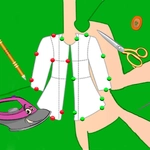
I'll admit, Tailor Kids looked like a breeze at first—then I spent twenty minutes trying to line up a collar without the whole shirt bunching. That's the charm. You're running a tiny tailor shop for a parade of picky kid clients. Each one walks in with a vague idea ("something sparkly!" or "pink, but not too pink") and you've got to interpret that into an actual garment. The game gives you a pattern, a pile of fabric, and just enough tools to make it work—scissors, thread, buttons, the works. But the real test is patience: cutting too fast leaves ragged edges, and sloppy stitches pop right back open.
The fashion angle drew me in, but the loop is what kept me coming back. You unlock new fabrics, trims, and accessories as you complete orders. I remember finally nailing a sequined vest after three botched attempts—the little customer clapped, and honestly, so did I. It's surprisingly tactile for a browser game. The way the fabric bends when you drag it, the snip-snip sound when you cut, the little pincushion that appears when you're ready to pin—it all feels like a proper starter sewing class without the threat of real needles.
Don't expect any pressure. There's no timer, no fail state, just a cozy corner of the internet where mistakes just mean you start over with a fresh bolt. That might sound too easy for adults, but I caught myself getting weirdly competitive about lining up plaids. It's the kind of game you can half-watch a show with, but then you realize you've been frowning at a hemline for ten minutes. A perfect gateway for younger players, sure, but the satisfaction of a well-sewn seam is universal.
👥How to Play Tailor Kids
Mouse or tap to play.
✨Game Tips
Start with simple patterns before you attempt the lined jacket—trust me, the seam allowance will humble you.
Watch the fabric grain when cutting; diagonal cuts waste more cloth and make the final piece twist.
Use the undo button liberally. There's no penalty for trying a stitch pattern multiple times.
Unlock the velvet fabric as soon as you can. It hides tiny stitches better than cotton.
If a client asks for "something fancy," don't overdo the sequins—gaudy overloads drop their happiness fast.
Zoom in before adding buttons. Placing them slightly off-center is the easiest way to ruin an otherwise perfect shirt.
🔧FAQ
Q: Is Tailor Kids free to play?
A: Yes, Tailor Kids is completely free in your browser. No hidden charges or premium walls.
Q: Can I play Tailor Kids on my phone?
A: Absolutely. The game uses mouse or tap controls, so it works on mobile browsers just as well as desktop.
Q: Do I need to download anything to play Tailor Kids?
A: No download needed. It runs right in your browser as an HTML5 game, so just open it and start sewing.
Q: Does Tailor Kids have any timers or time limits?
A: No, there are no timers or fail states. You can take as long as you like on every order.
Q: What kind of clothes can I make in Tailor Kids?
A: You'll stitch dresses, shirts, jackets, and accessories like hats and bags. New patterns unlock as you complete more clients.
Q: Is Tailor Kids safe for younger kids?
A: Yes, the game is designed for a younger audience. It has no violence, no chat, and no inappropriate content—just fashion and sewing.